Hi @Neeniih
I’ve created a simple example for you that might give you some ideas. Please see attached.simulation.dmn (1.5 KB)
You can upload this DMN to Camunda DMN-Simulator, Simply drag your DMN file on the decision table area in this website and play with it.
For example, you can enter Input A as “2022-02-02” and Input B as “2022-02-01”.
The output “Output A” will be “PT24H” which is 24 hours or one day.
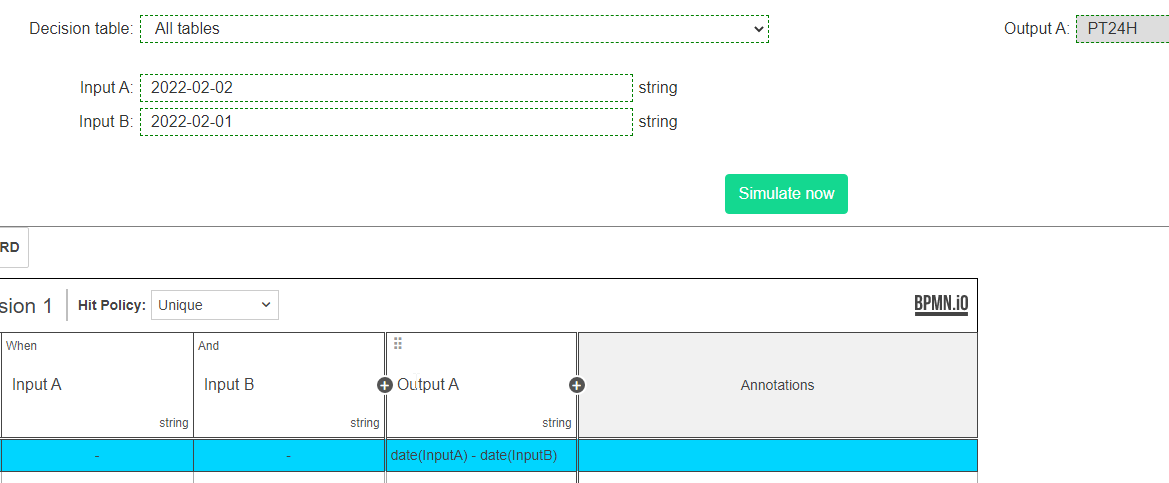
I used “date(InputA) - date(InputB)” to calculate the difference between dates.
Also, you can find other options there - Temporal Expressions | FEEL-Scala
Hope it helps.