Hello, I am trying to add a form in the start element (modeler 5.40), so that when I start a process, a form is displayed in order to submit it.
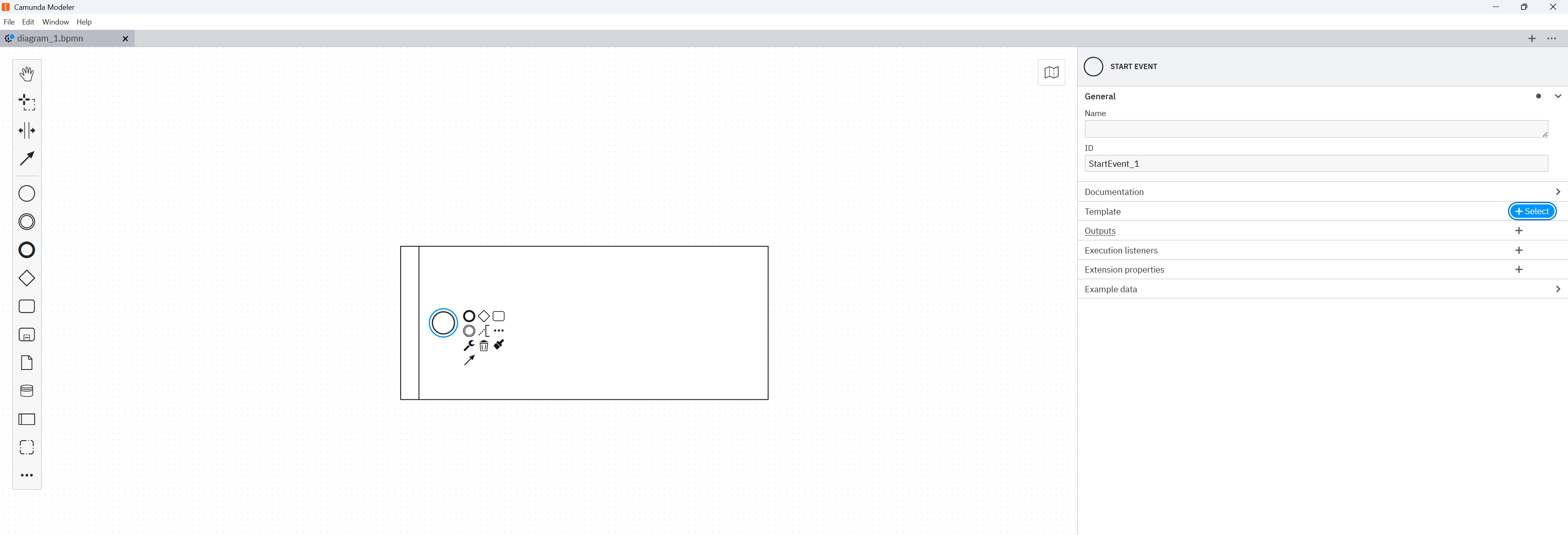
However, there is no form reference input here. How can I set this up?
Hi @Nikos_M - start forms are only supported with Web Modeler. Also of note: it is currently a deprecated feature.
Hello Nathan. Could you please elaborate on why this feature is getting deprecated? How will this functionality be supported then? Did Camunda decide that it is not useful?
Btw now that I read the announcement that you shared @nathan.loding , it is related to Public Forms. My post is not related to this feature, it is related simply to the feature of starting a process with inputs from the Tasklist UI, in a self managed setup.
@Nikos_M - ah yes, two different things. Apologies for the confusion! You can start a process with a form in two different ways:
However, both require Web Modeler at this time. Desktop Modeler doesn’t yet support linking a form to a none start event. Feel free to comment on this open issue:
And I will share this forum thread with the product team!
Alright, thank you for the response @nathan.loding . I would like to share however a way to achieve this even without having access to web modeler. We can directly edit the .bpmn XML contents and add something like the below in the startEvent element:
<bpmn:startEvent id="StartEvent_1" name="Start">
  <bpmn:extensionElements>
    <zeebe:formDefinition formId="Form_0t4pn00" />
  </bpmn:extensionElements>
</bpmn:startEvent>
This way, a form is actually correlated to the start event.