Nikos_M
November 12, 2025, 10:40pm
1
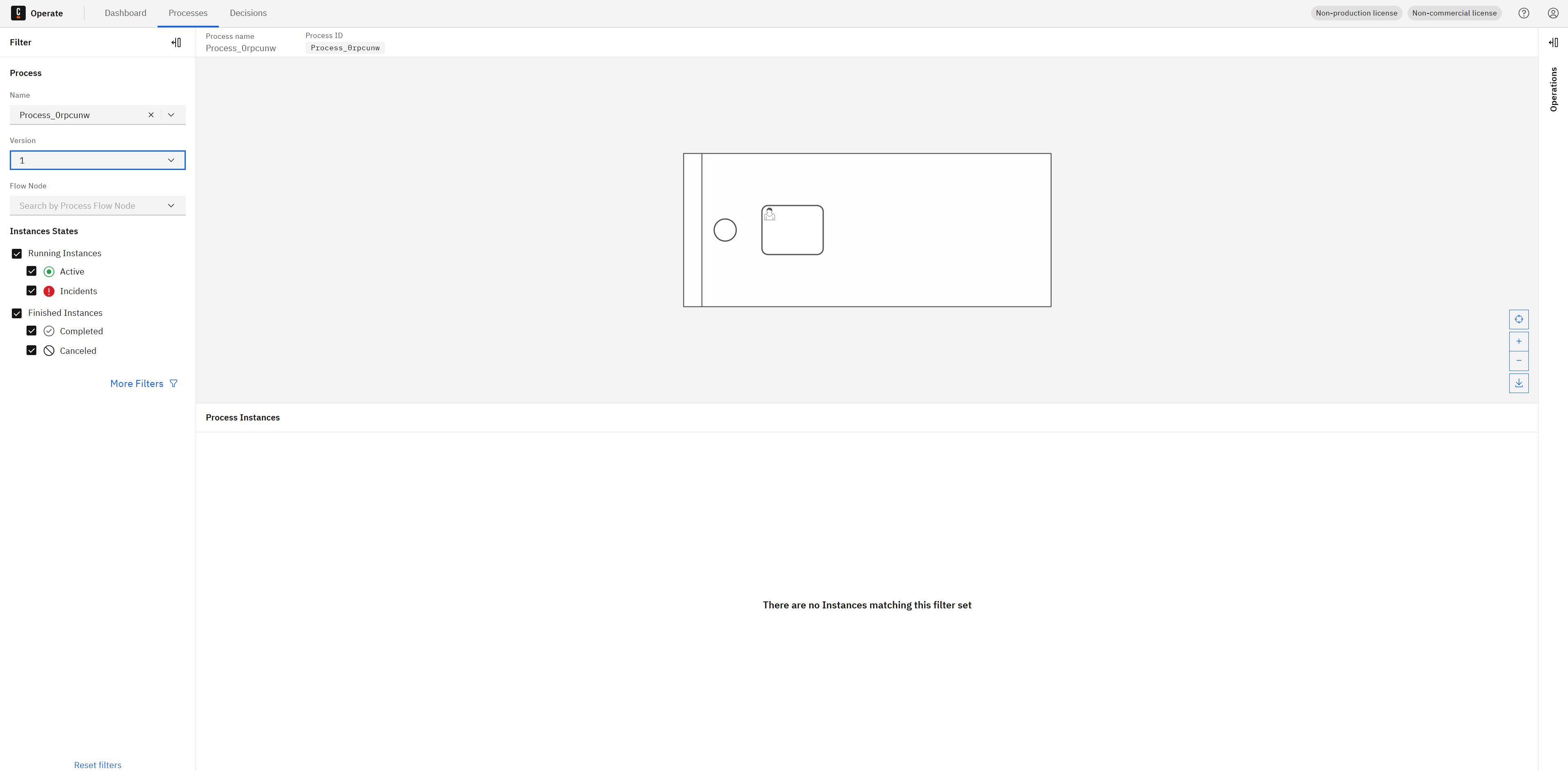
For some reason I am unable to delete a process definition from the Camunda 8.8 (self managed) Operate UI:
There is no “Delete” button as it is supposed to be based on the documents: Delete resources | Camunda 8 Docs
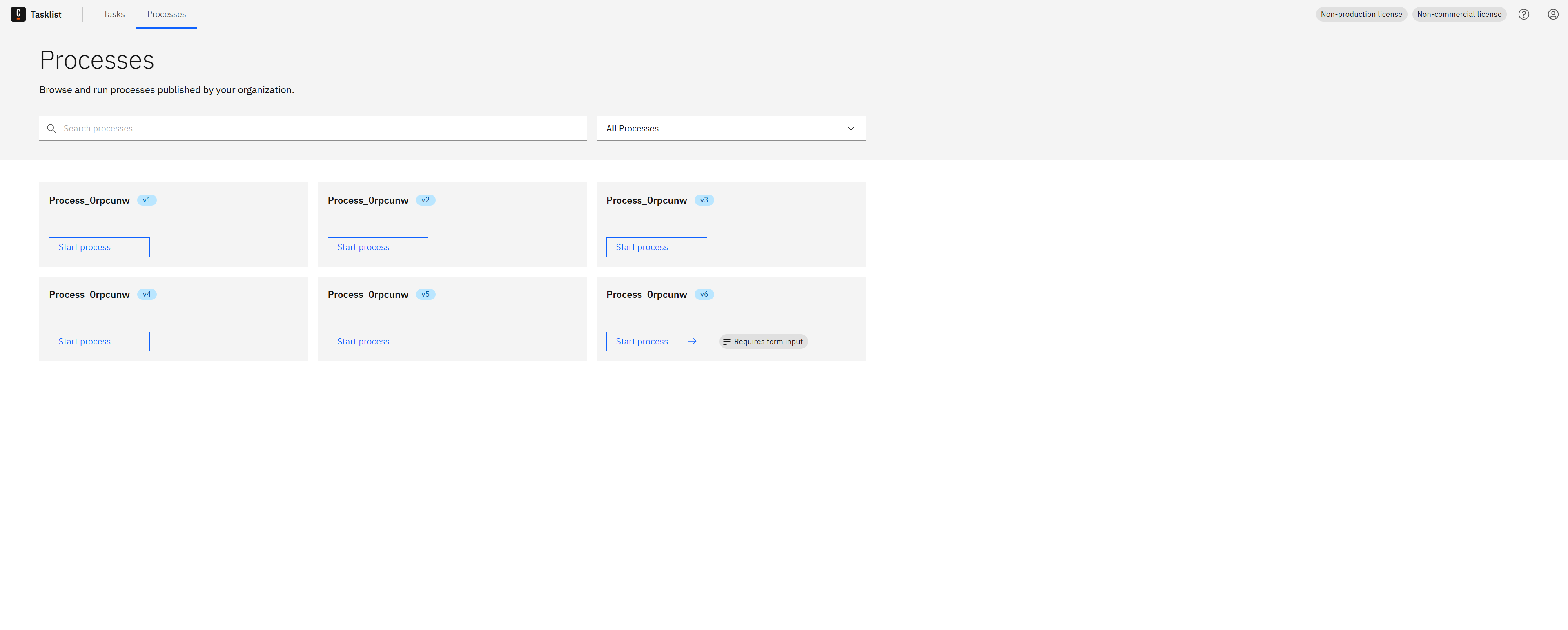
What I am trying to achieve, is to stop old versions of a process definition to be startable. For example I have:
In Camunda 7 all of these older versions were not available. Why is this happening in Camunda 8?
cpbpm
November 13, 2025, 5:28pm
2
You can use the API to delete the process definition. Refer the thread.
Hi,
I’m using camunda 8.8 and I’m trying to delete process definitions using the API but failing.
I have a process definition with no active instances, I send a POST request to
/v2/resources/${resourceKey}/deletion where the resourceKey is the processDefinitionKey.
The request returns 200, re-running the requests rends 404 not found,
yet when calling /v2/process-definitions/search the process definition’s key is still there. More importantly it shows in Operate UI and (after the step with …
1 Like
@Nikos_M - the API is alternative, but you should be able to delete a definition in Operate. This is a good question, I am not seeing the “Delete” button either! Let me grab an engineer and take a deeper look.
1 Like
Nikos_M
November 13, 2025, 8:28pm
4
Thank you for this critical response @nathan.loding , please let us know once you have any feedback.
@Nikos_M - our engineering team had, at roughly the same time, identified this bug already! It only exists where resource based permissions are utilized. A bug fix has been completed and will be available in the next patch release (I don’t have a date for that yet, unfortunately). In the meantime, a temporary workaround is to use the API.
opened 08:06AM - 25 Sep 25 UTC
closed 03:30PM - 13 Nov 25 UTC
kind/bug
severity/high
support
likelihood/high
component/operate
component/frontend
component/backend
affects/8.8
affects/8.9
target:8.9.0-alpha2
###
###
###
###
### Description
Deleting resources is not possi… ble from Operate UI with enabled resource based permissions and a user with admin role.
### Steps to reproduce
1. In Console: Enable resource based permissions
2. In Identity: Assign the `admin` role to the current user
3. In Operate: Go to process instances list view
4. Select a process and version without any instances
or
5. Go to decision instances list view
6. Select a decision and version
### Current behavior
There is no Delete button to delete the selected resource (process definition or decision definition)
### Expected behavior
There should be a Delete button to delete the selected resource (process definition or decision definition)
### Workaround
The only known workaround is to delete a resource manually using the API.
### Environment
SaaS
### Version
- Component Version: 8.8.0
### Rootcause
FE is reading the permissions from a permission array on the `/api/processes/grouped` endpoint. This endpoint currently returns the following permissions:
```json
{
"permissions": [
"CREATE_PROCESS_INSTANCE",
"READ_PROCESS_DEFINITION",
"READ_PROCESS_INSTANCE",
"UPDATE_USER_TASK",
"CANCEL_PROCESS_INSTANCE",
"MODIFY_PROCESS_INSTANCE",
"UPDATE_PROCESS_INSTANCE",
"DELETE_PROCESS_INSTANCE",
"READ_USER_TASK"
]
}
```
### Solution ideas
#### Option 1
Remove proactive permission check and always show the delete button. The permission is then checked when the related API endpoint is called. In case the user is not authorized, there would be a notification in the Operate UI. This is consistent with other actions like single instance operations.
Pro: straight forward, simple implementation, frontend only
Con: Button will always be visible
#### Option 2
Align backend and frontend on the correct permission types.
Currently Operate FE is looking for `DELETE` permission. So it needs to be aligned which is the right permission. Potentially `DELETE_RESOURCE` or `DELETE_PROCESS` / `DELETE_DECISION`.
- BE needs to return that permission in the array
- FE needs to read that permission
Pro: Button will be visible depending on the permission
Con: Not consistent with other actions, frontend and backend work needed
### Dev -> QA handover
Versions to validate:
- 8.8-SNAPSHOT
- 8.9-SNAPSHOT
Expected behavior:
- The delete resource button is always visible (on decision instances list view and process instances list view)
- The button is not visible if no definition version is selected
- The button is visible even if the user has no resource based permission for it. If the user clicks the button, the operation should not be triggered and an error notification should be shown in the UI
### Links
Support issue: https://jira.camunda.com/browse/SUPPORT-29731
### Automated Test Impact
_No response_
1 Like
system
February 12, 2026, 4:17pm
6
This topic was automatically closed 90 days after the last reply. New replies are no longer allowed.