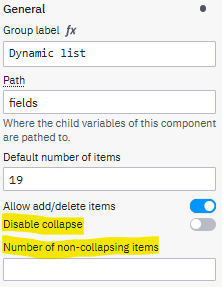
Hi, I am facing a weird behavior in using dynamic list.
I created two identical forms with a dynamic list for two human tasks. The first task is data entry while the second one is for reviewing purpose.
We pre-fill 19 items into the dynamic list in the first human task, when viewing in the form, it only shows the first 5 items with an “Expand” icon at the bottom, if we don’t expand it, the data variable for this dynamic list will be cut, and only kept the first 5 items.
Similar behavior happens in the second human tasks.
Has anyone encounter this data truncation behavior? any work-around?
Thanks