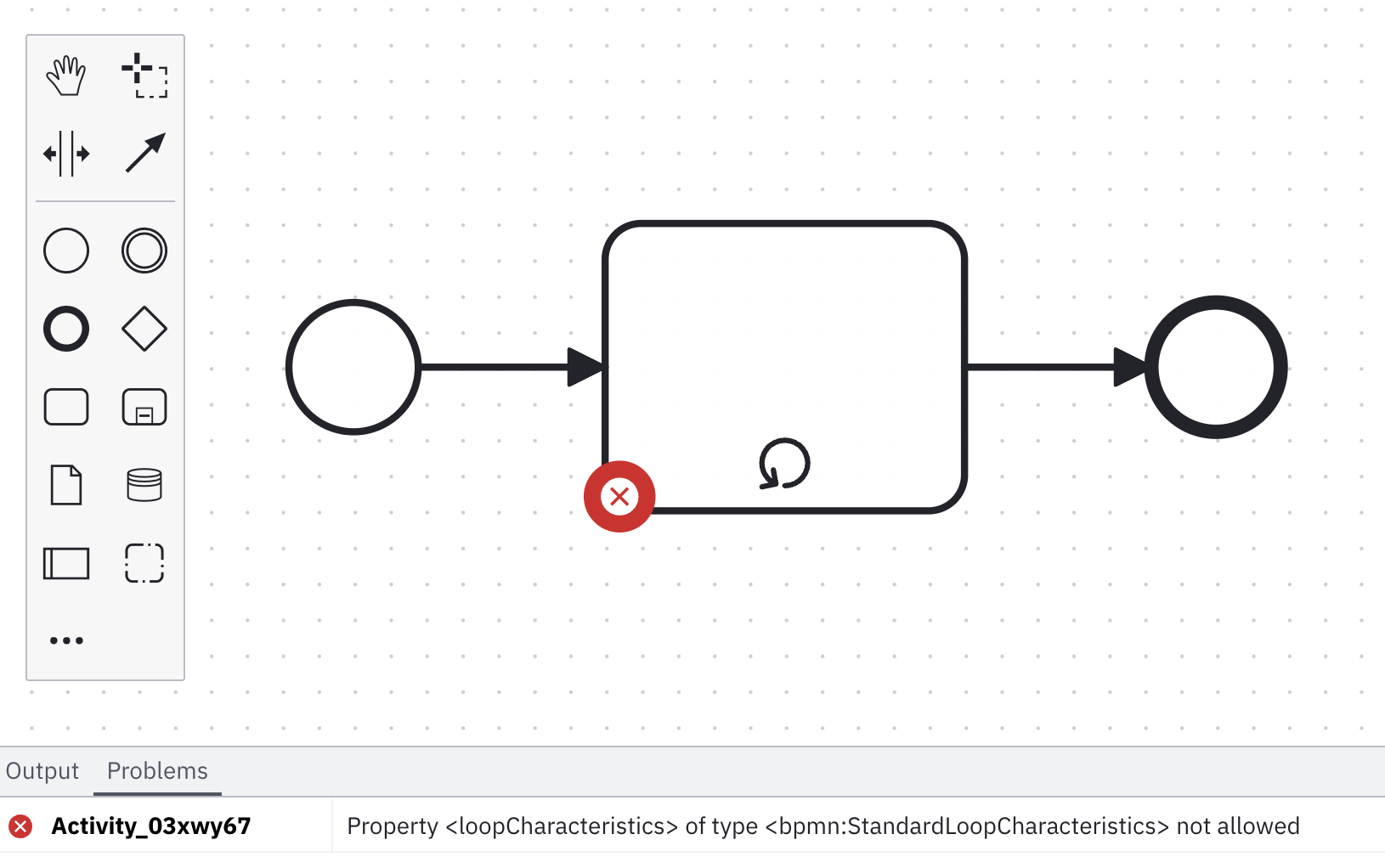
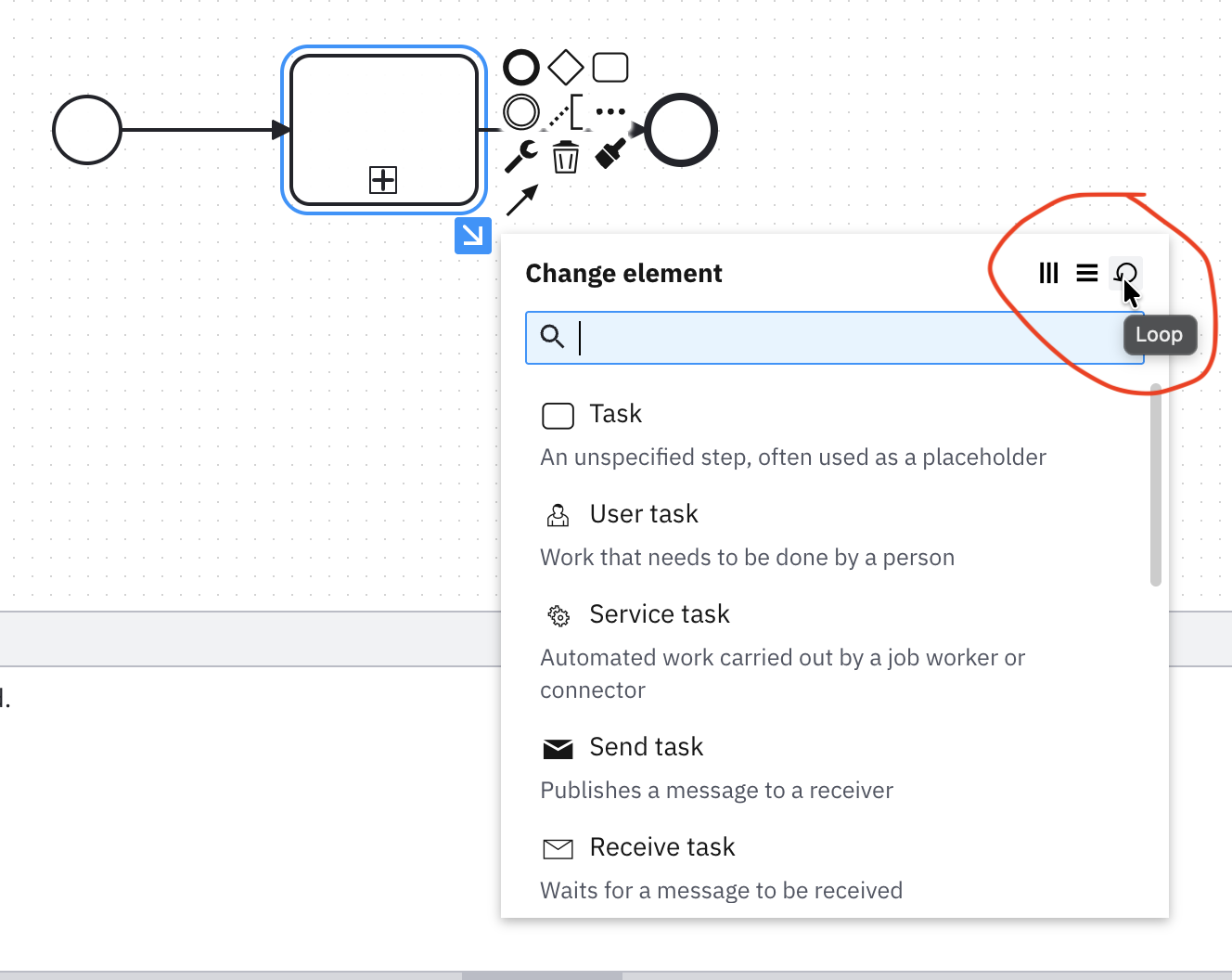
A model with only 1 single activity, raise the following error when changing it to a loop:
Property <loopCharacteristics> of type <bpmn:StandardLoopCharacteristics> not allowed.
Why is that?
Camunda doesn’t use the BPMN loop marker for iterating over the execution of tasks, instead it uses the multi-instance marker.
I see. Thank you!
Where would that loop be useful in Camunda? I see the UI provides it.
For activating a task or sub process for each element in a list.
Sorry, I meant the loop activity not the loop caused by the multi-instnace activity.
What is the loop activity for in Camunda and how to use it?
Note: What I understand is that in BPMN, the loop activity is the equivalent of repeat-N-times while the multi-instance activity is the equivalent of for-each (like as you said “for activating a task or sub process for each element in a list”).
Interesting.
I understood it (at a BPMN level) more like:
Multi-instance: For-Each or For(i=0;i<N;i++)
Loop: While(condition) Do
Not 100% sure from a Camunda perspective.
I do things mostly from a modeling perspective rather than an execution perspective.
Ok, I had to search that in the standard.
As I understand that now …
for(i=0; condition && (!capping || i < N); i++){ ... } (A condition and a an optional fixed cap limit).For-Each or For(i=0; i<N; i++) (exactly as you @GotnOGuts understood it).Section “10.3.8 Loop Characteristics”:
The StandardLoopCharacteristics class defines looping behavior based on a boolean condition. The Activity
will loop as long as the boolean condition is true. The condition is evaluated for every loop iteration, and MAY be
evaluated at the beginning or at the end of the iteration. In addition, a numeric cap can be optionally specified. The
number of iterations MAY NOT exceed this cap.
And …:
The MultiInstanceLoopCharacteristics class allows for creation of a desired number of Activity instances.
The instances MAY execute in parallel or MAY be sequential. Either an Expression is used to specify or calculate the
desired number of instances or a data driven setup can be used. In that case a data input can be specified, which is able to
handle a collection of data. The number of items in the collection determines the number of Activity instances. This data
input can be produced by an input Data Association. The modeler can also configure this loop to control the tokens
produced.
I read that as:
loop is equivilent to:
While(Condition && If(capping) {iteration_count < cap}else{true} )
Just to highlight the loose end:
What is the loop activity for in Camunda and how to use it?
Generally if you want to loop until a condition is satisfied, you could probably have a looping XOR gateway after the task that loops back after each iteration until a condition is met.
Right, but Why does Camunda modeler provide that marker in the first place?
And the issue is that if I mark that activity with the loop marker, the Camunda shows the error Property <loopCharacteristics> of type <bpmn:StandardLoopCharacteristics> not allowed.
So what is it for (in Camunda, not in BPMN) and how to use it?
The marker exists to be BPMN compliant - so that we correctly represent BPMN from other tools.
It’s also handy when you’re building models for documentation rather than for execution.
So why does Camunda show it? Because there are circumstances outside of the context of building executable models where it might be useful
Thank you. I marked your response as solution.
The conclusion is then that the loop marker is supported in the modeler only for non executable models.
It is problematic because even for the context of non executable models, one would desire a syntactic model verification: just to be sure that the model being developed is complaint with the syntactic rules of the modeling language (i.e. BPMN), even when the model is not meant to be runnable. Ideally we would get a “BPMN valid but not Camunda runable” error/warning.
That warning does existing in the web modeler, as long as the user has indicated that they’re designing a model for execution by selecting the implementation tab.
But i also understand that the error message is actually a little cryptic.
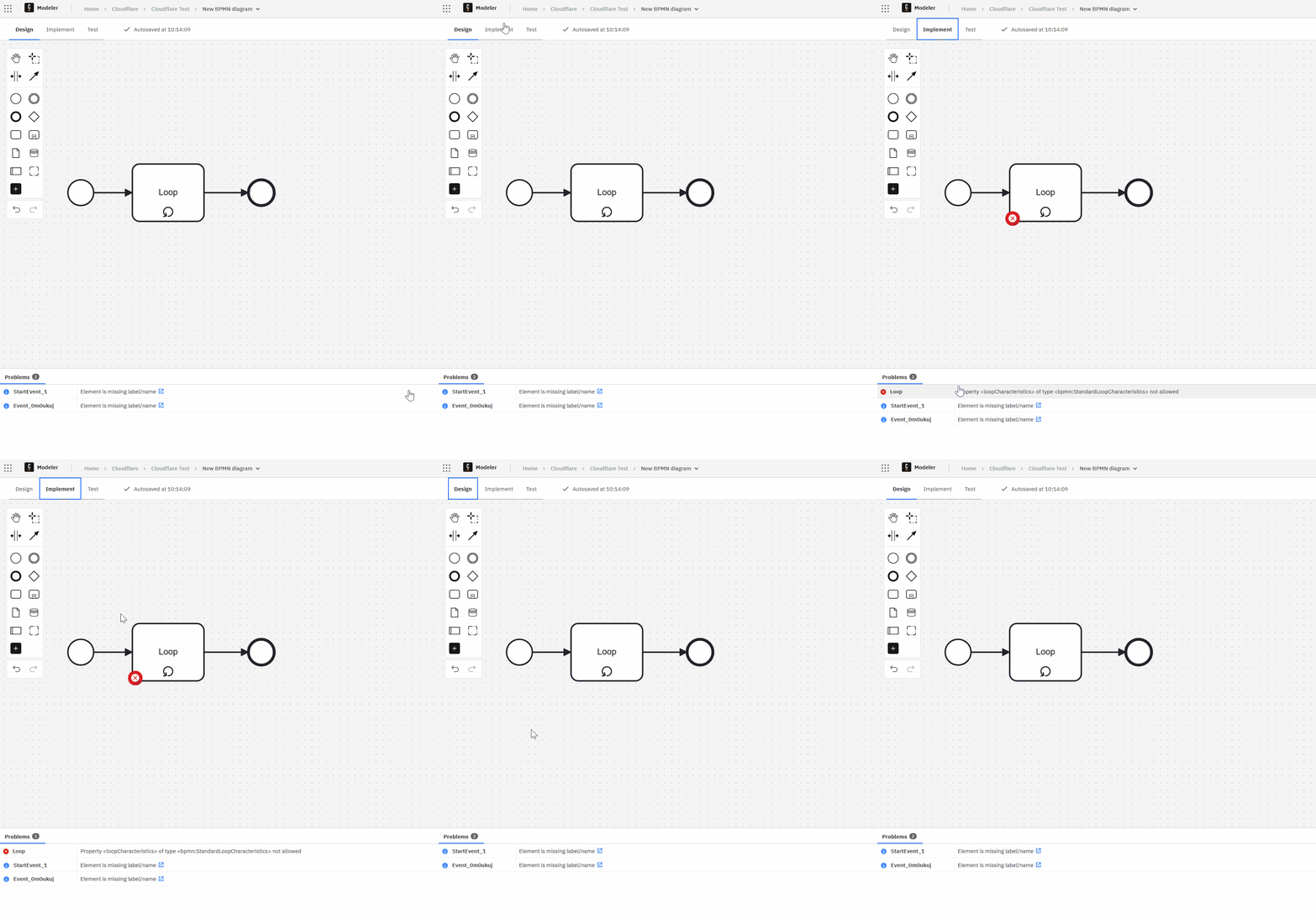
It would be good if “execution linting” could be disabled by removing the “Executable” checkbox.
Currently unchecking the “executable” checkbox throws a different error: A <Process> must be <Executable>
Good suggestion - i’ll bring that up.