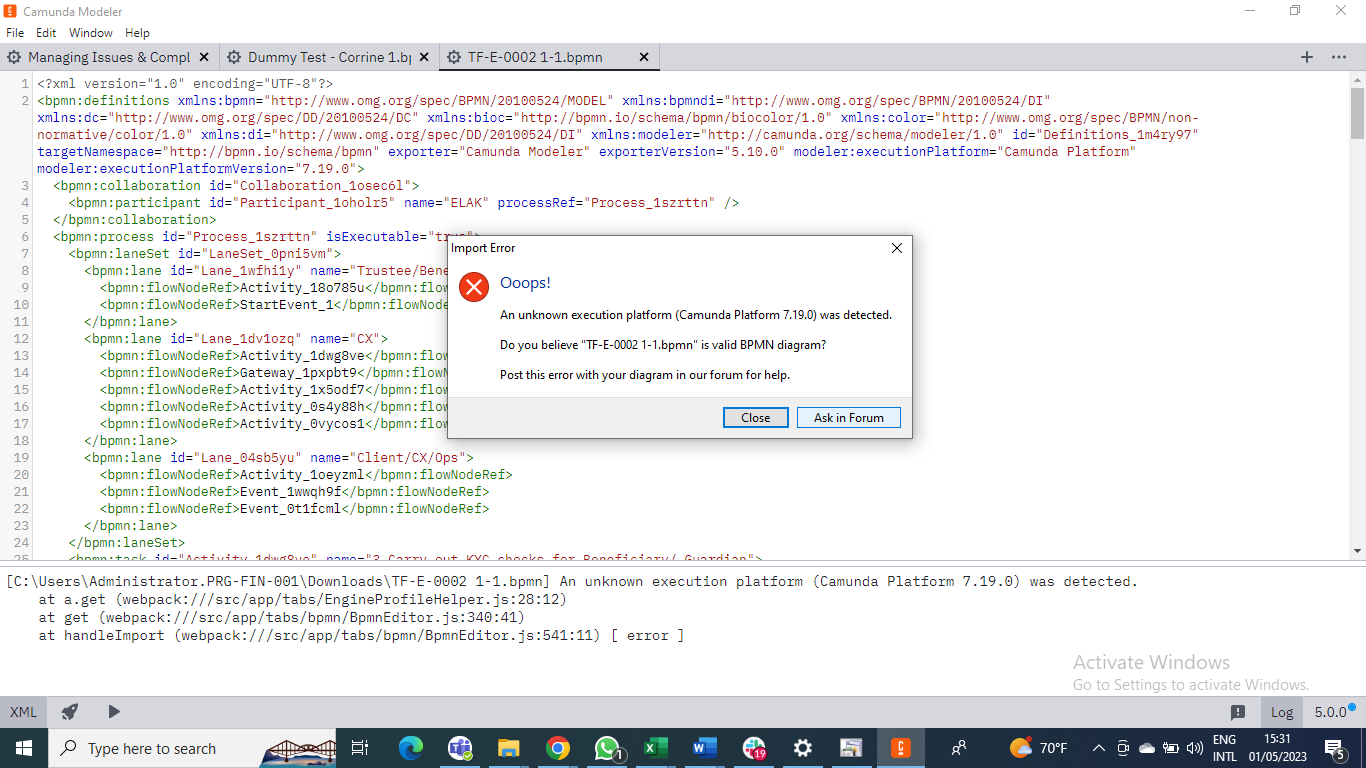
Dear Colleagues. I am trying to launch my Workflow but the Platform is generating an error message raising doubts about my process. Can anyone help
Hello dear friend!
This is happening possibly because this BPMN is in version 7.19 and your modeler doesn’t have this version or something like that.
Check the version you have, for example… let’s say it’s version 7.16… so when this error screen opens for you, you change the XML to 7.16.0 where I highlighted it on the printscreen.
Then you can close your xml tab and your BPMN should be normal.
If it doesn’t work, try also changing the “ExporterVersion” field to 5.0.0 which is your modeler version.
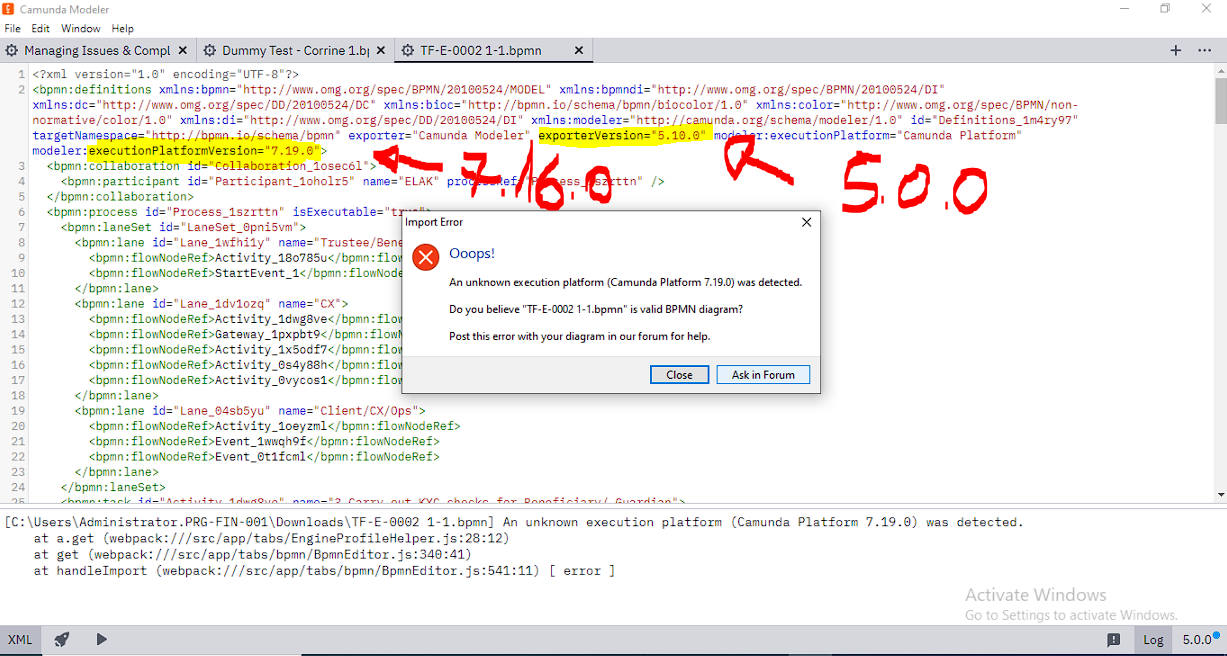
Remembering that this procedure can cause unexpected errors depending on the version… so the best thing is to download the most current version of Modeler, and it should work.
I hope this helps.
Regards.
William Robert Alves
Hi @Sipho_Changwe_Nakalo , Welcome to the Camunda Forum!
Camunda 7.19 support was added in Modeler 5.6 from how I understand the Changelog.
Always make sure you have compatible versions of your tools.
Please upgrade your modeler from 5.0 to at least 5.6 (preferably 5.10 which is the most current)