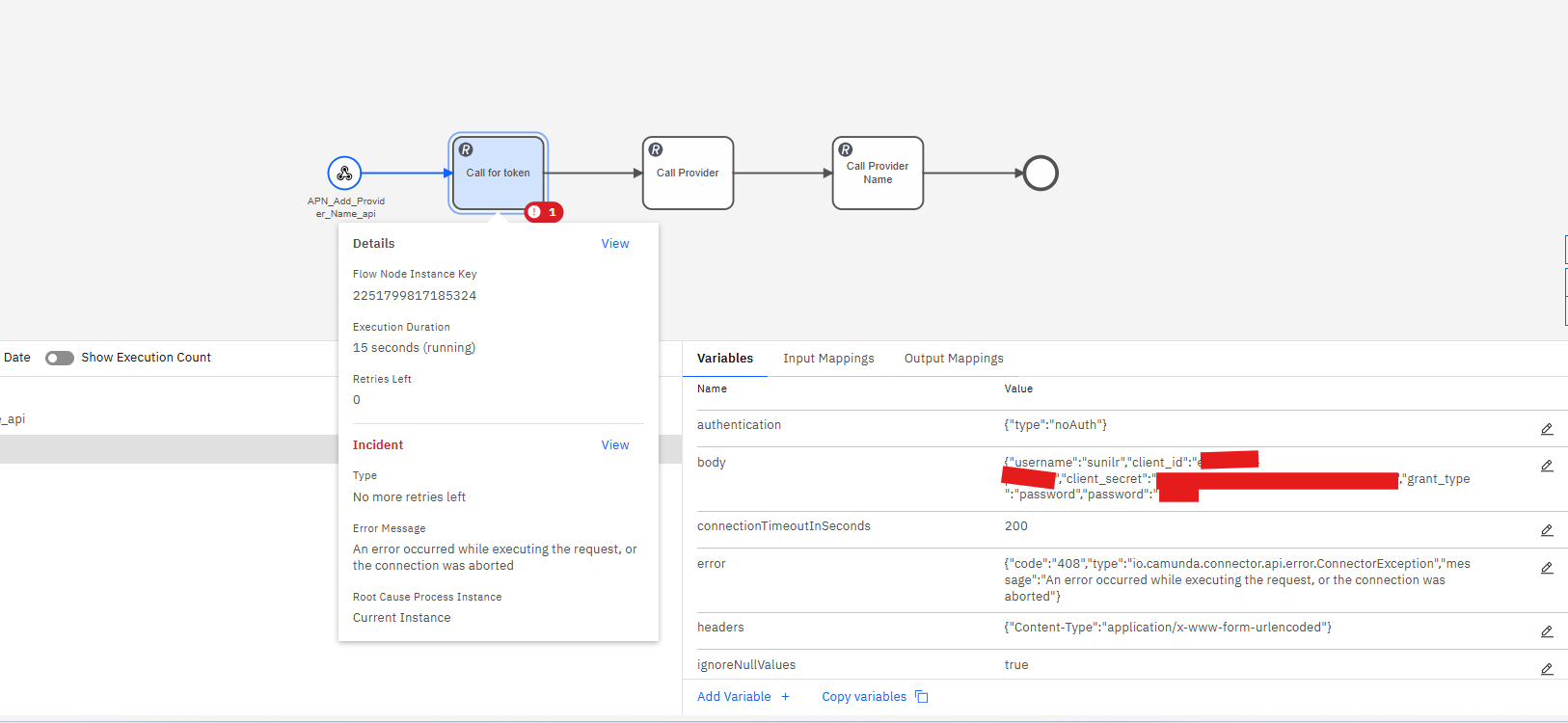
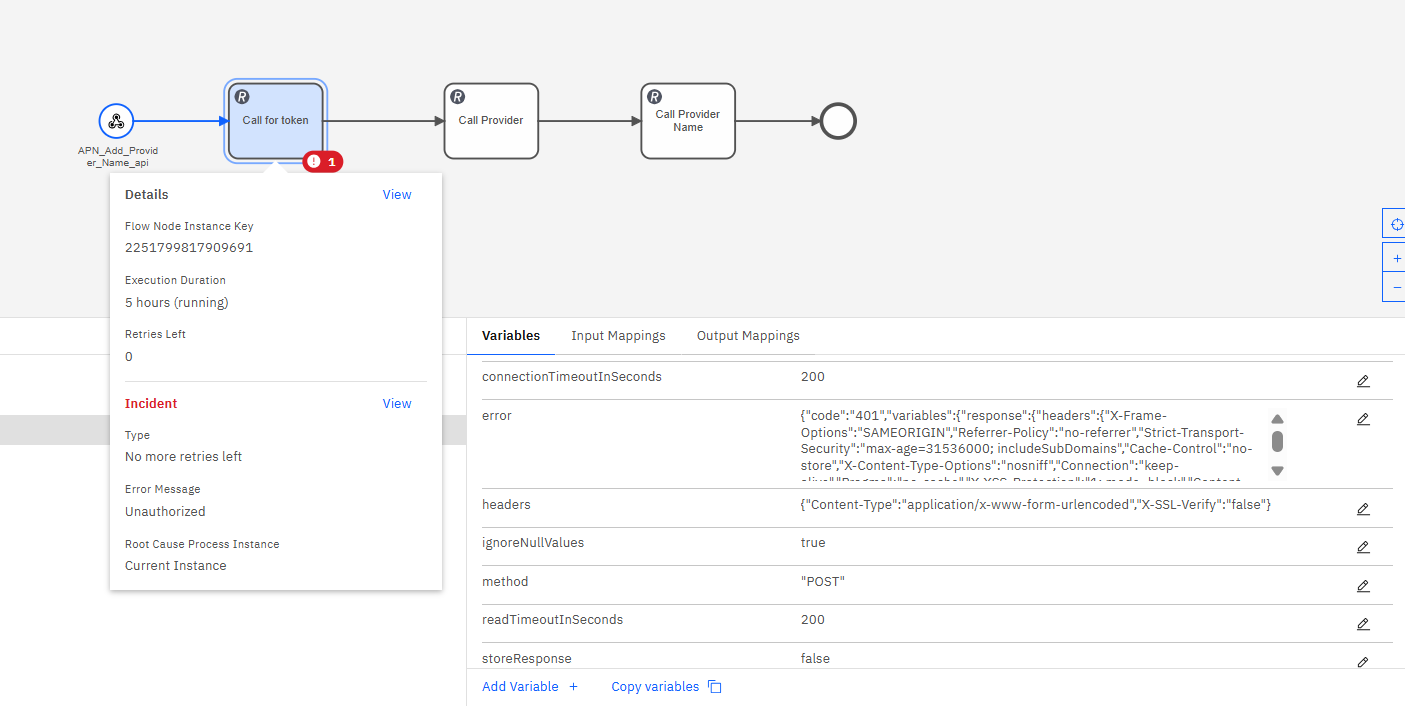
Getting this error, while trying to execute REST Connector
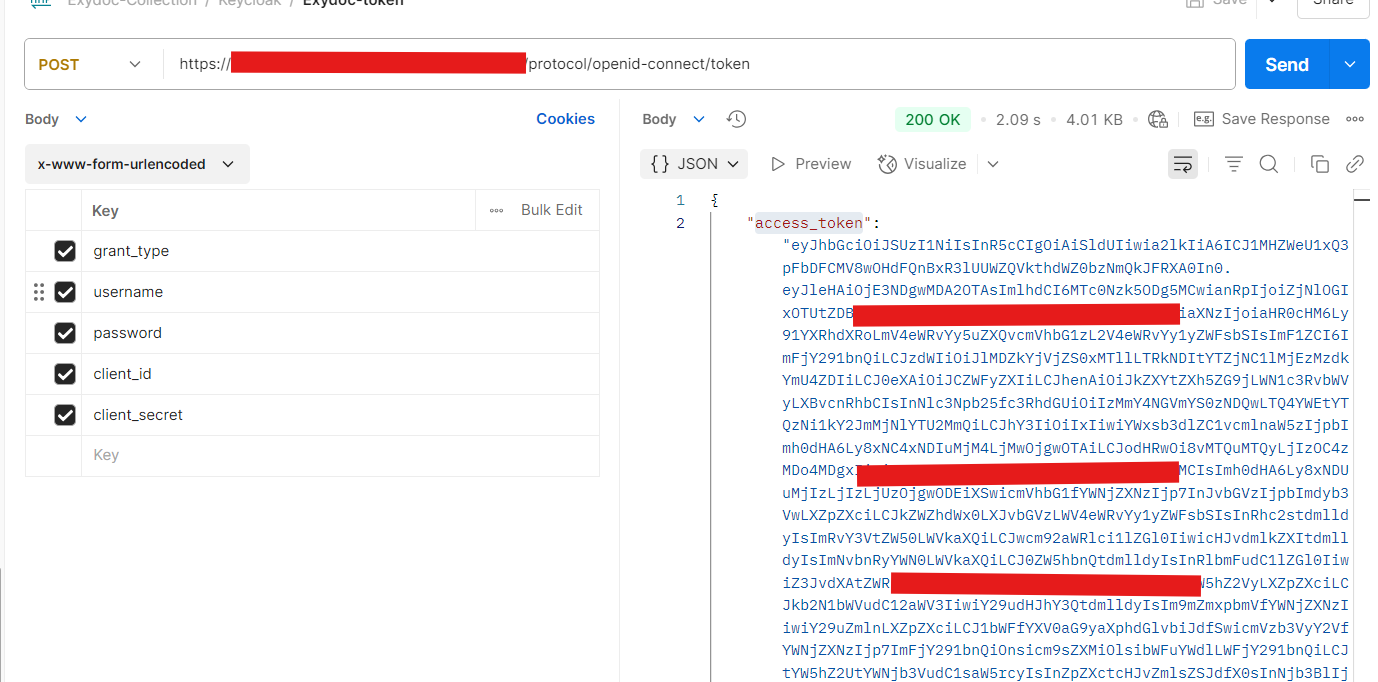
The endpoint that I am trying to access is working in postman and sending a response.
https://keycloak.localhost.com/realms/my-realm/protocol/openid-connect/token
Getting this error, while trying to execute REST Connector
The endpoint that I am trying to access is working in postman and sending a response.
https://keycloak.localhost.com/realms/my-realm/protocol/openid-connect/token
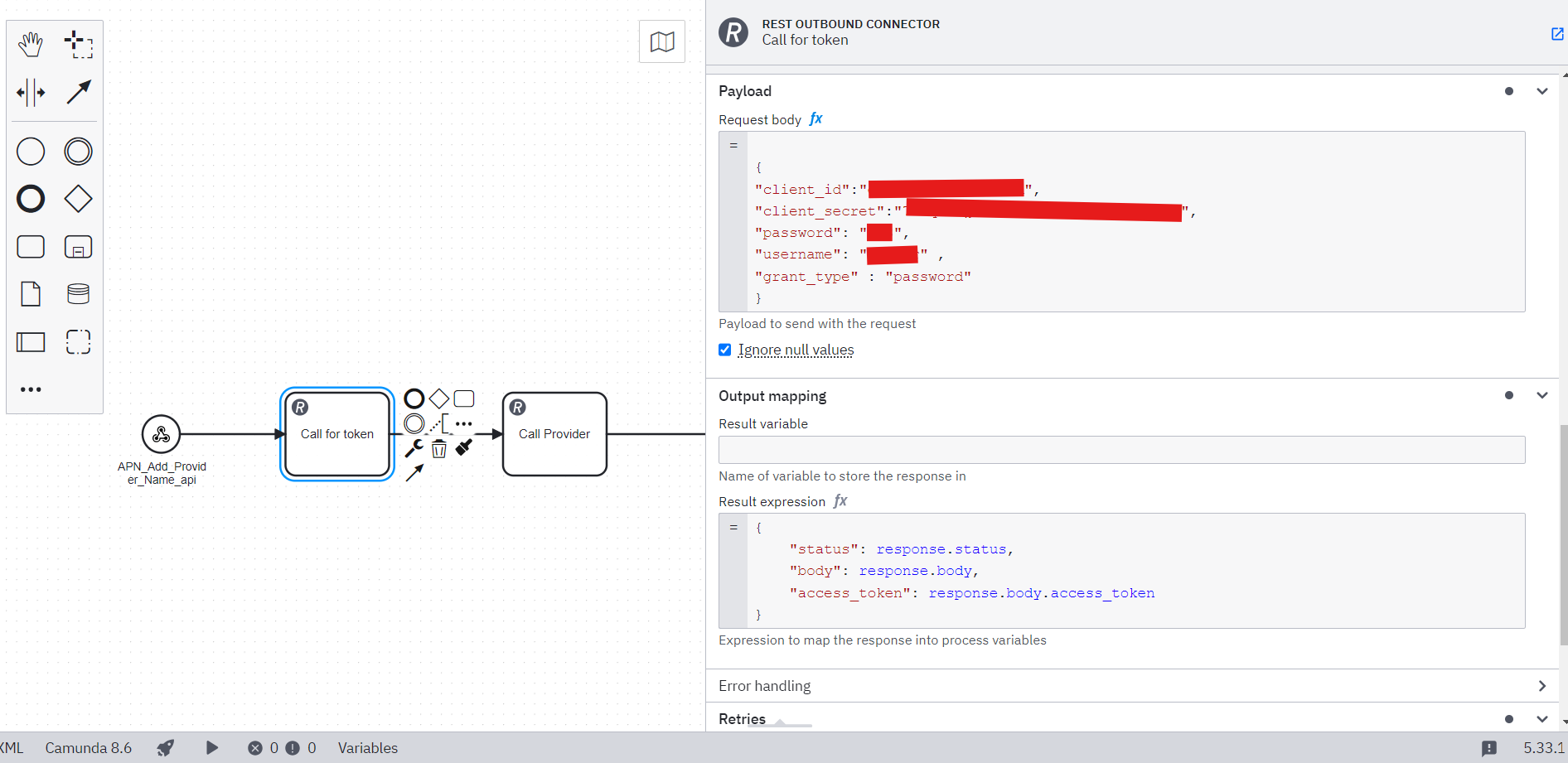
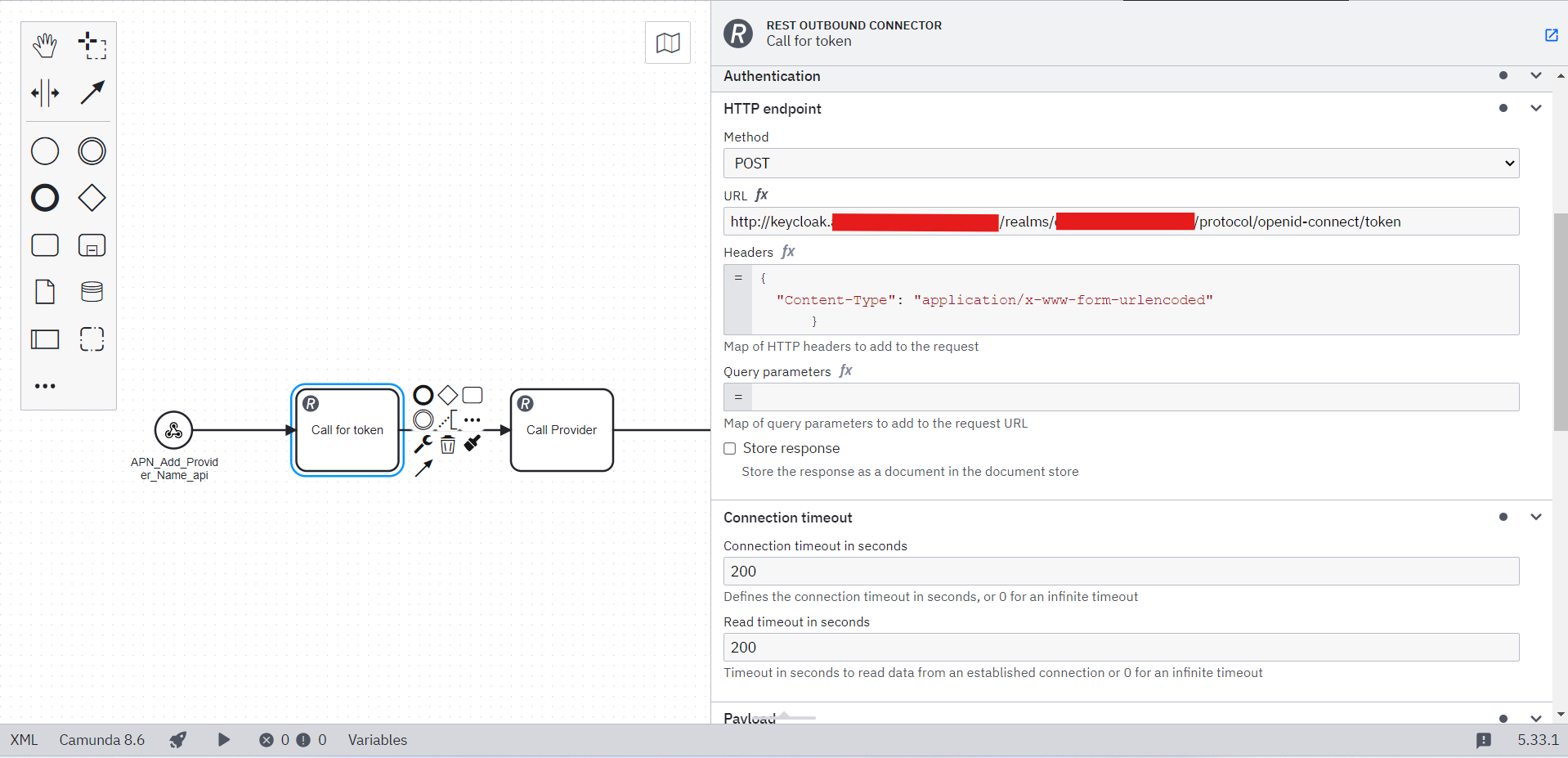
Hi @Sunil_Purohit, welcome to the forum! Are you using SaaS or Self-Managed? I believe that particular error occurs when the connector can’t make a connection to the URL provided. Could you also provide a screenshot of the connector configuration in Modeler?
I am using Self Managed - Docker Deplyment. @nathan.loding
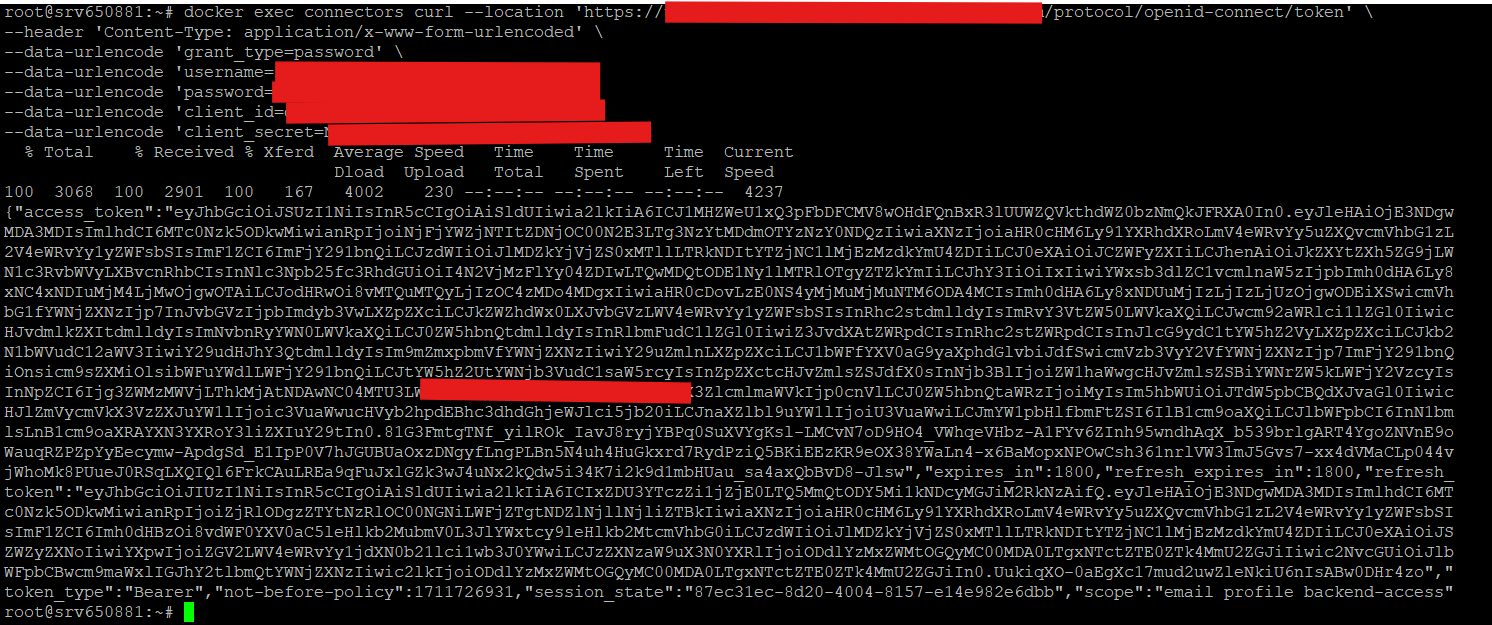
@Sunil_Purohit - everything looks good in the screenshots. I would be curious if you can make a curl request to the URL from inside the connectors container. What is the output of a command like:
docker exec connectors curl http://keycloak......./token
(Replace “connectors” with the container name, and insert the proper URL of course!)
I would like to add few more points.
Getting this error…
{“code”:“401”,“variables”:{“response”:{“headers”:{“X-Frame-Options”:“SAMEORIGIN”,“Referrer-Policy”:“no-referrer”,“Strict-Transport-Security”:“max-age=31536000; includeSubDomains”,“Cache-Control”:“no-store”,“X-Content-Type-Options”:“nosniff”,“Connection”:“keep-alive”,“Pragma”:“no-cache”,“X-XSS-Protection”:“1; mode=block”,“Content-Length”:“93”,“Date”:“Fri, 23 May 2025 11:24:32 GMT”,“Content-Type”:“application/json”},“body”:{“error”:“invalid_client”,“error_description”:“Invalid client or Invalid client credentials”}}},“message”:“Unauthorized”,“type”:“io.camunda.connector.api.error.ConnectorException”}
@Sunil_Purohit - this is definitely a strange issue. I did some further research:
IOException when there is a generic transport exception - for instance, the TCP pipe being terminated unexpectedly, or there not being a server listeningAre you using Camunda’s docker-compose configuration? Can you share your docker-compose file (and any related files, such as .env, with secrets redacted where necessary)?
I also noticed in the docker exec command you used https for the URL, but in your screenshot of Modeler, it is using http. Do you get the same error if you use the exact same URL from the docker exec command, or do you get a different error? If you use the http URL in the docker exec command, does it still work, or does it fail? If it fails, what is the error?
This time i got this error:
{“code”:“401”,“variables”:{“response”:{“headers”:{“X-Frame-Options”:“SAMEORIGIN”,“Referrer-Policy”:“no-referrer”,“Strict-Transport-Security”:“max-age=31536000; includeSubDomains”,“Cache-Control”:“no-store”,“X-Content-Type-Options”:“nosniff”,“Connection”:“keep-alive”,“Pragma”:“no-cache”,“X-XSS-Protection”:“1; mode=block”,“Content-Length”:“93”,“Date”:“Fri, 23 May 2025 11:43:33 GMT”,“Content-Type”:“application/json”},“body”:{“error”:“invalid_client”,“error_description”:“Invalid client or Invalid client credentials”}}},“message”:“Unauthorized”,“type”:“io.camunda.connector.api.error.ConnectorException”}
If you could share the details about your setup/config details, we can tryout in our local environment and keep you updated.
Please do share the details what @nathan.loding requested.
I also asked the same details, but you are answering the issue only, to replicate we need more details.
@Sunil_Purohit - the error you are seeing is an error from the API you are calling, not from the connector itself. The REST connector forwards the error the HTTP client received back to your process. It looks like you have something misconfigured for those credentials within Keycloak, perhaps.
I don’t know if this is going to work, but try changing your payload from
=
{
   "client_id":"redacted_value";
   "client_secret":"redacted_value";
   "password":"redacted_value";
   "username":"user'sID";
   "grant_type":"password"
}
to something more like:
"client_id=redacted_value
client_secret=redacted_value
password=redacted_value
username=user'sID
grant_type=password"