Good morning everyone. Simple question.
Has the timer cycle type been removed? As shown in the image, it no longer appears.
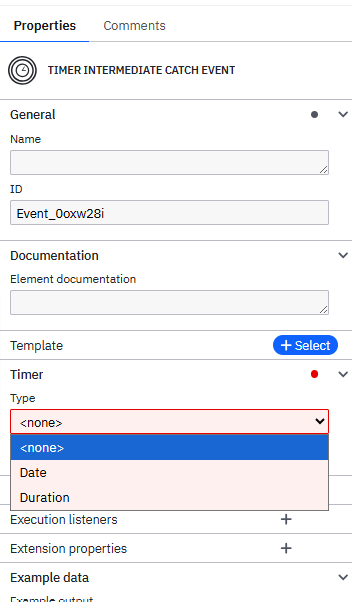
Cycle times are not possible with intermediate timer events because once the timer is triggered the token moves on.
Cycle times can only be added to non-interrupting boundary timer events or timer start events.
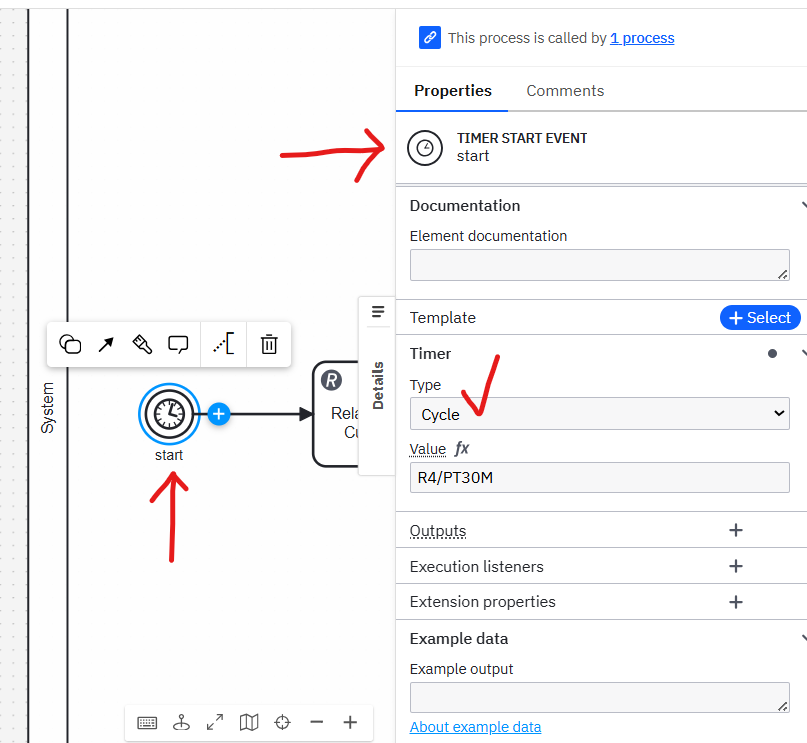
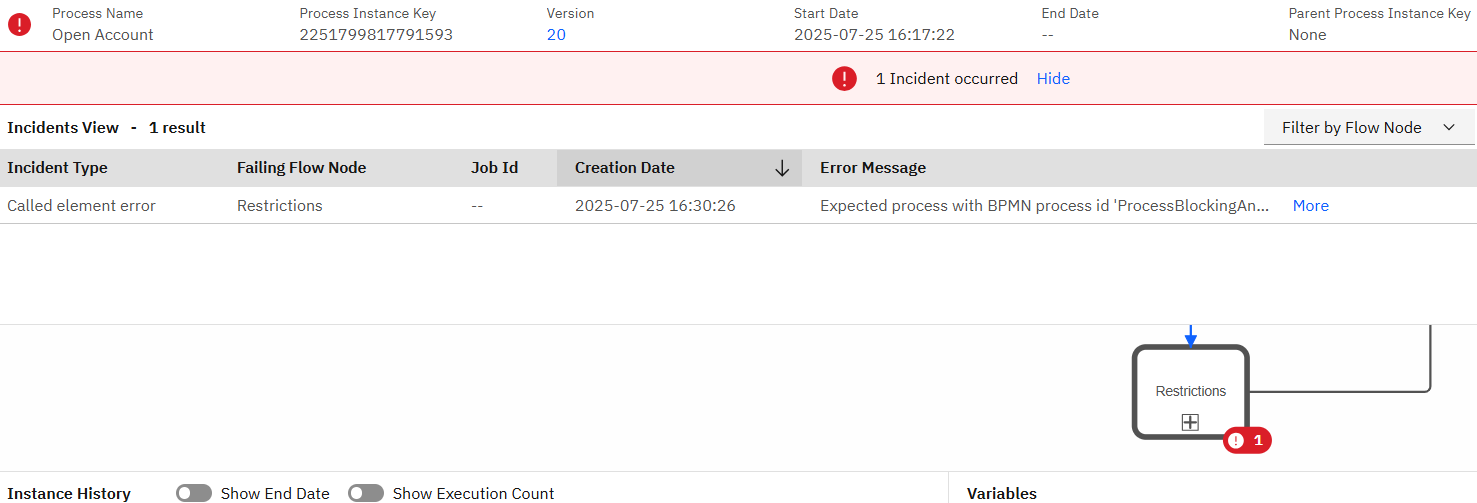
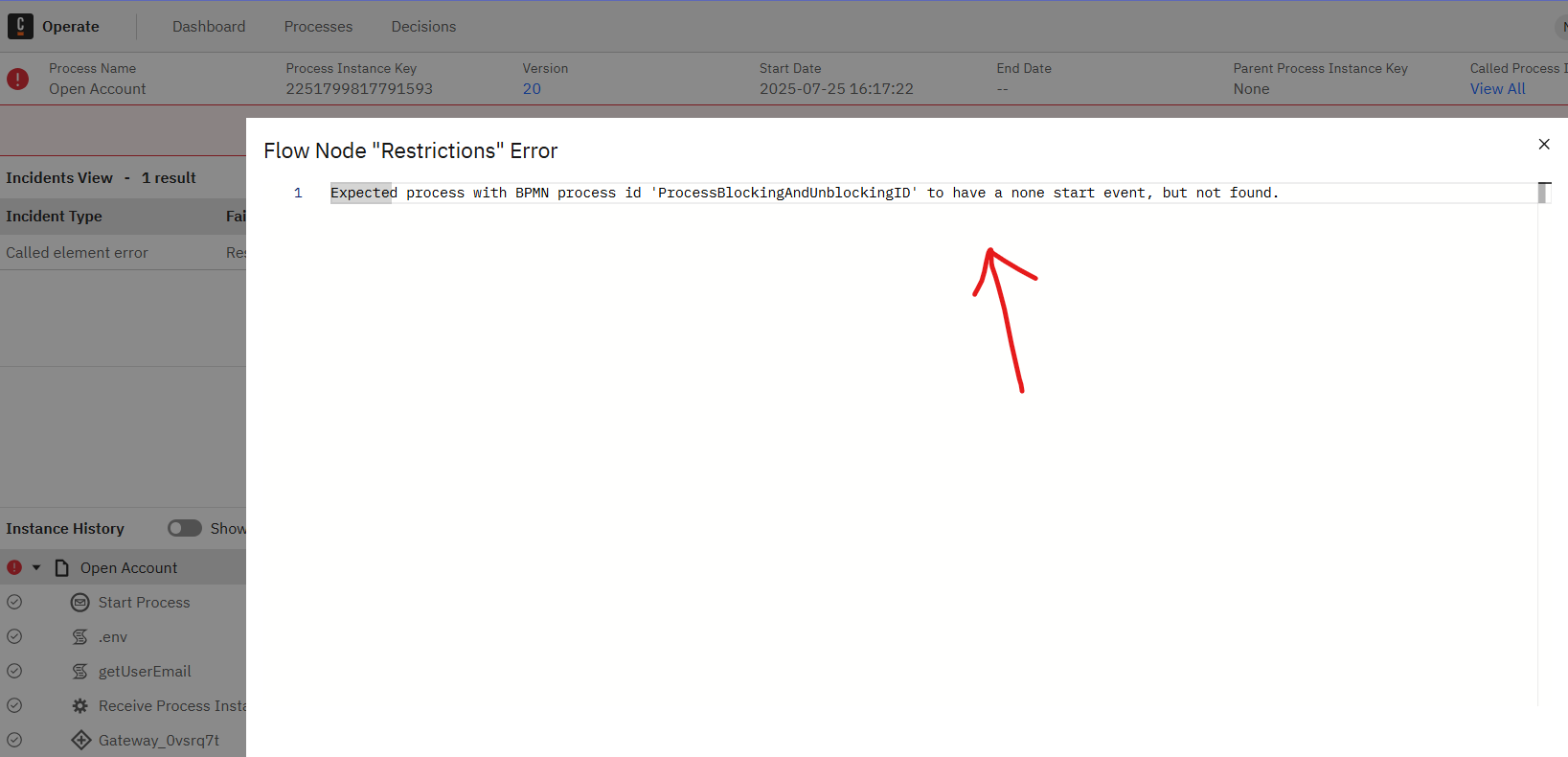
Per the rules of the BPMN specification, if a process is called by another process, it MUST have a none-start.
Your example screenshot shows that it is being called by another process, and has a timer start. This is why it is complaining.
So the timer as a start event cannot be a call activite?
Correct.
Timer Start has to the be top level of the process tree.
A Call Activity is a reuasable form of subprocess. So the same way that you can’t put a timer start in a subprocess, it can’t be in the destination process of a Call Activity.
I believe (you would have to test it) that you can put a Timer Start in an event subprocess within a called activity, but that wouldn’t be much different than putting a Non-Interrupting Boundary Timer on the Call Activity
What is it that you’re actually trying to solve? Perhaps if you tell the community what the underlying prolem is, we might be able to offer other solutions.
I have a customer registration flow. After a customer is registered, another department receives a notification and must evaluate this customer and assign a score.
This evaluation is performed outside the workflow, in a separate system.
The evaluation process takes up to 2 hours, and a database table is updated as soon as the evaluation is completed.
What I need is, after registering the customer and before finishing the process, to check every 30 minutes for a period of 3 hours whether the customer has been evaluated and received a score. The subsequent behavior will be defined later, but for now, I just need to meet this requirement.
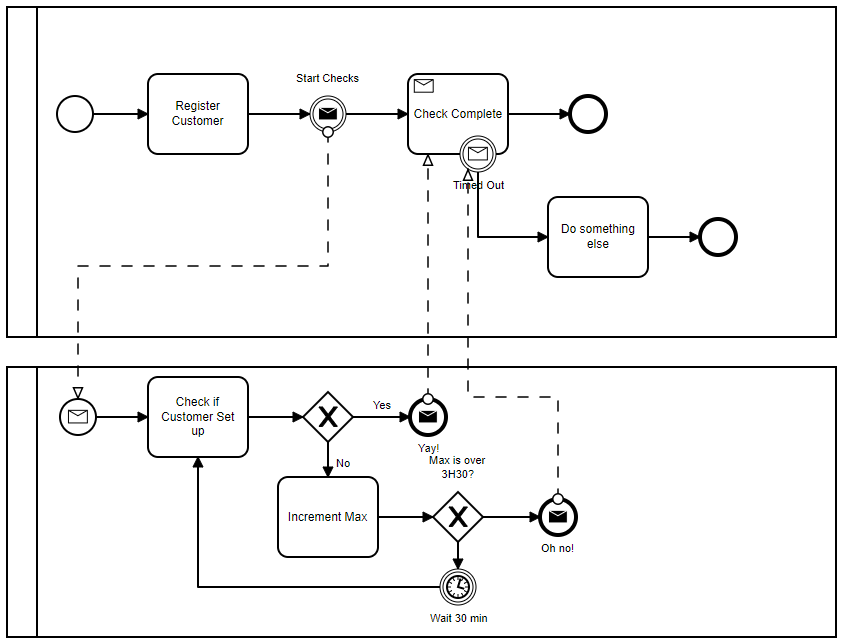
Okay, the flow is exactly this, but I wanted to avoid making the flow more complex by avoiding increment and control scripts. I wanted to see if it was possible to control the routine just with the timer cycle, but I’ve already realized that it seems that for this situation it’s not possible. Thanks for the support, I’ll continue with loop control with an incremental variable.