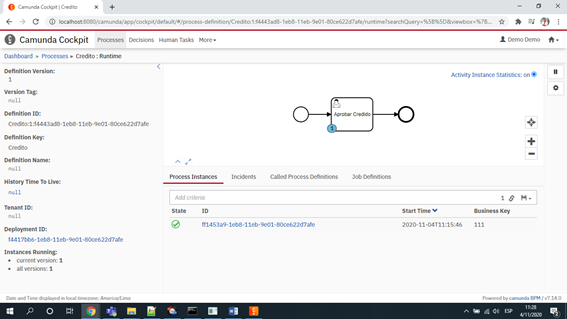
I can change the database to h2 to postgree
First install postgree and créate a dabase called Camunda and run this scrips
Put this password admin/admin
And create thorw pgAdmin4
And run this scrips , to create 47 tables necesary to function Camunda
create a enviroment variables
Do this two changes into folder camunda-bpm-tomcat-7.14.0
Add file postgresql-42.2.18.jar in this folder C:\Users\aesalazar\Downloads\Camunda\camunda-bpm-tomcat-7.14.0\server\apache-tomcat-9.0.36\lib
Change file server.xml
Original
<Resource name=“jdbc/ProcessEngine”
auth=“Container” type=“javax.sql.DataSource” factory=“org.apache.tomcat.jdbc.pool.DataSourceFactory” uniqueResourceName=“process-engine”
driverClassName=“org.h2.Driver”
url=“jdbc:h2:./camunda-h2-dbs/process-engine;MVCC=TRUE;TRACE_LEVEL_FILE=0;DB_CLOSE_ON_EXIT=FALSE” defaultTransactionIsolation=“READ_COMMITTED”
username=“sa”
password=“sa”
maxTotal=“20”
minIdle=“5”
maxIdle=“20” />
Modificado
<Resource name=“jdbc/ProcessEngine”
auth=“Container”
type=“javax.sql.DataSource” factory=“org.apache.tomcat.jdbc.pool.DataSourceFactory” uniqueResourceName=“process-engine”
driverClassName=“org.postgresql.Driver” url=“jdbc:postgresql://localhost:5432/camunda” defaultTransactionIsolation=“READ_COMMITTED”
username=“postgres”
password=“admin”
maxTotal=“20”
minIdle=“5”
maxIdle=“20”
maxWaitMillis=“-1” />
See this url: Camunda is the name of database in postgree
Username: postgres // default name
Password: admin // chossen when install postgree
After that we start Camunda