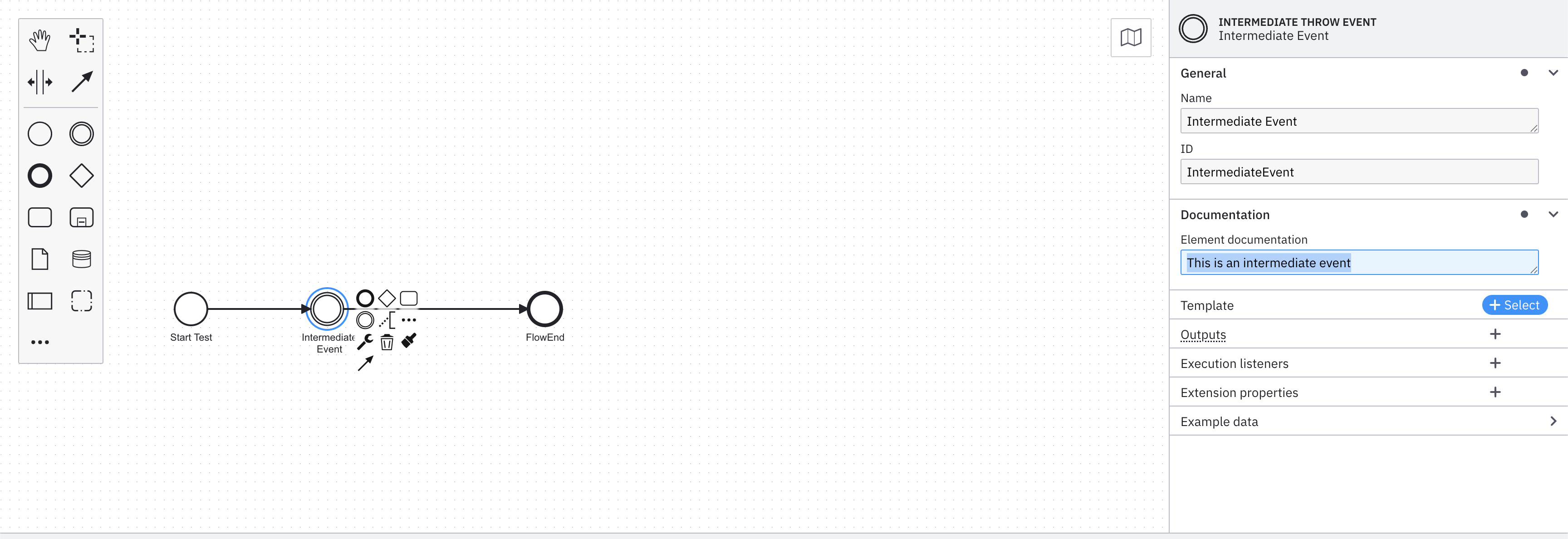
I am writing an exporter with camunda 8.8.
This exporter will export Events (Start, Intermediate and End events) for processes to an event datastore.
I want to export process instance key, element id , timestamp , a variable (correlationKey), element documentation fields.
processInstanceKey, elementId and timestamp for end are readily available in the exported Record.
**How can I get the other info like Element Name, Element Documentation and variable ?
**
Element name and Element Documentation fields are static for a given BPMN and version combination, and can be fetched from BPMN XML itself. How can I get the BPMN xml details in exporter implementation?
public class EventsExporter implements Exporter {

    private Controller controller;
    private ObjectMapper objectMapper = new ObjectMapper();
    @Override
    public void configure(Context context) {
        context.setFilter(new EventsFilter());
    }

    @Override
    public void open(Controller controller) {
        this.controller = controller;
        Exporter.super.open(controller);
    }

    @Override
    public void close() {
        Exporter.super.close();
    }

    @Override
    public void export(Record<?> exportRecord) {
        try { // TODO : export actual data to datastoer
            System.out.println(objectMapper.writerWithDefaultPrettyPrinter().writeValueAsString(exportRecord));//Checking what is available in records object
        } catch (JsonProcessingException e) {
            throw new RuntimeException(e);
        }
    }

    @Override
    public void purge() throws Exception {
        Exporter.super.purge();
    }
}
Hi @chirag! Great question about implementing a Camunda 8.8 exporter. Let me break down how you can access the different pieces of information you need:
Getting Variables (correlationKey)
Variables are available through variable records in your exporter. When variables are created, updated, or deleted, your exporter will receive variable records that contain:
processInstanceKey
Variable name and value (as JSON)
Scope key and other metadata
You can filter for variable records and extract your correlationKey variable from these records.
Getting BPMN XML Details (Element Name & Documentation)
This is more complex because exporter records don’t contain the full BPMN XML or element metadata directly. Here are your options:
Option 1: Use Operate API (Recommended)
If you’re using Operate, you can retrieve the BPMN XML using the process definition key:
GET /v1/process-definitions/{processDefinitionKey}/xml
In your exporter, listen for deployment records which contain the process definition key and metadata. However, the deployment record itself doesn’t include the raw BPMN XML in the exporter stream.
Option 3: External BPMN Management
Store and manage the BPMN XML externally (e.g., in your application or database) when processes are deployed, then reference it in your exporter.
Implementation Strategy
Here’s a recommended approach:
Cache BPMN Metadata: When you receive deployment records, use the process definition key to fetch the BPMN XML (via Operate API or external storage)
Parse XML: Extract element names, documentation, and other static metadata from the BPMN XML and store them in a lookup map keyed by processDefinitionKey + elementId
Correlate in Exporter: When processing process instance events, use the processDefinitionKey and elementId from the record to lookup the cached element metadata
Handle Variables: Process variable records separately to extract your correlation key and other variables
Key Points
Exporter records provide processDefinitionKey, elementId, and processInstanceKey but not element names or documentation
Variables come through separate variable records in the exporter stream
BPMN XML must be retrieved separately (not included in exporter records)
Element metadata is static per BPMN version, so caching is effective