How to implement scheduler in camunda cloud

Hello everyone,

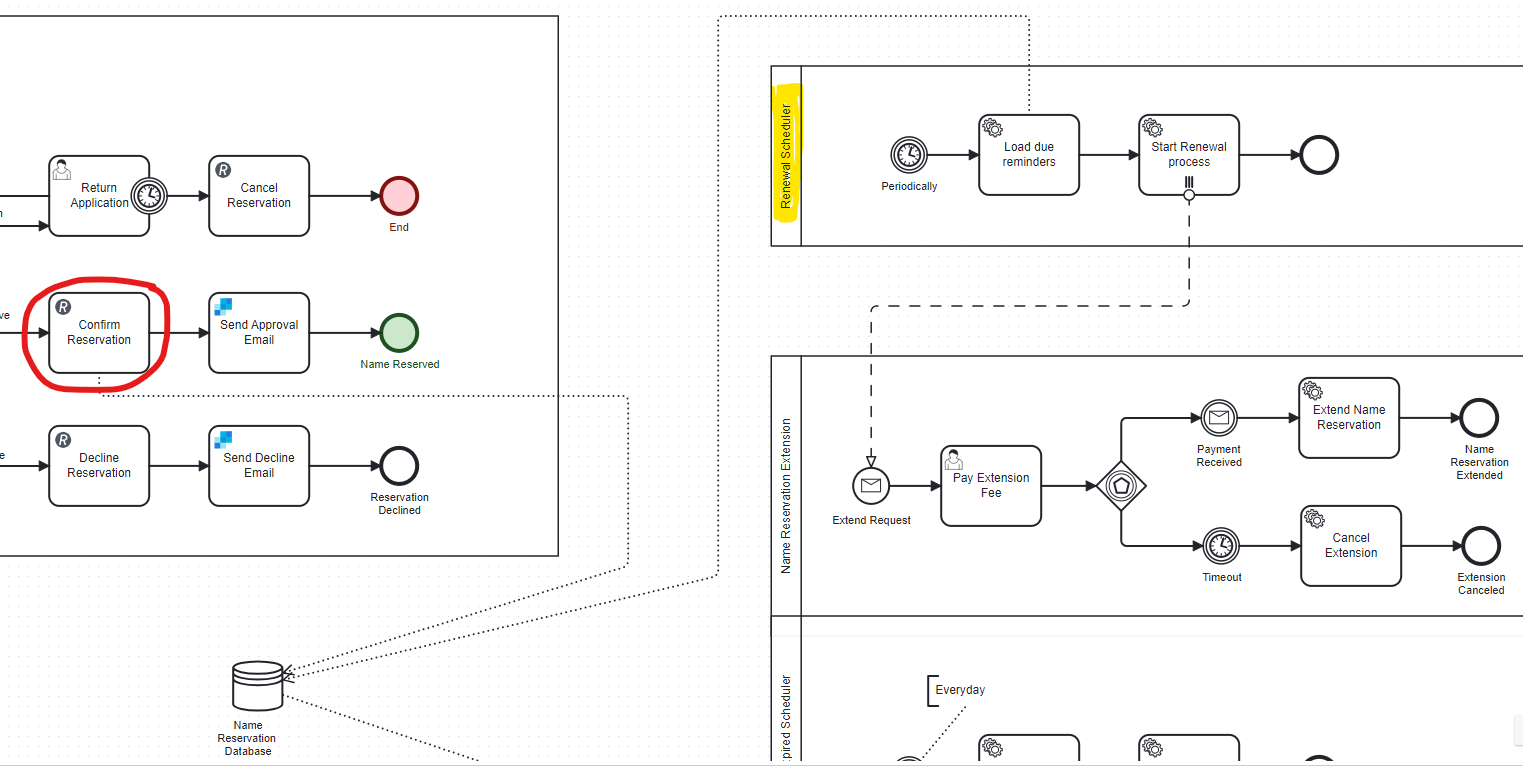
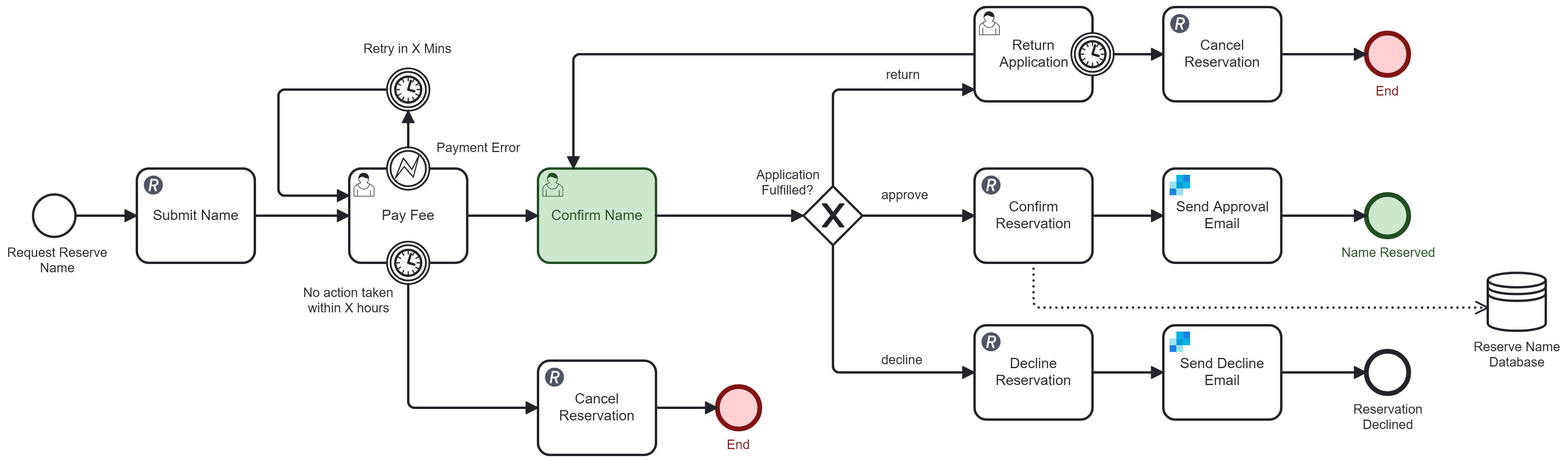
I have a workflow that allow the client to reserve a company name that will be expired after 90 days upon name approval by the officer.
If the client did not request for the name reserve extension before the expiry date, it will be released.
I have a situation where I need to notify clients on day 85 and day 89.

Refer the following diagram for the reservation process:

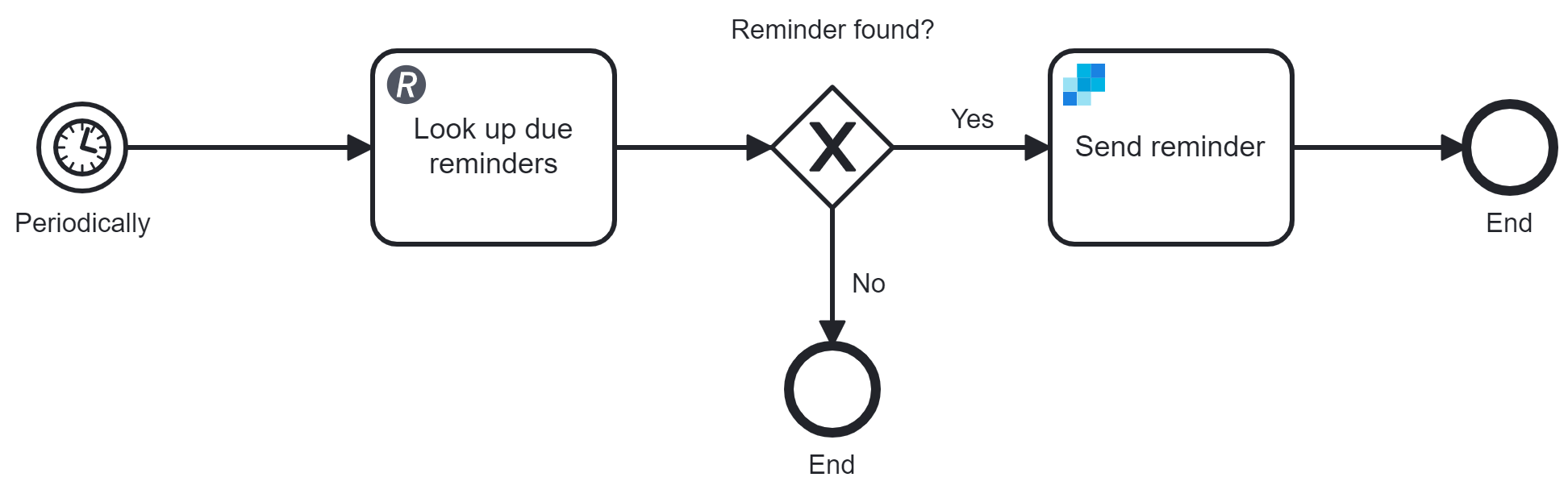
Here is my workflow for the scheduler.

How should I do this in Camunda 8? I’m not sure the right approach to do this. Any suggestions are welcome. Thank you very much.

Because you’re going to change the Timer End functions, you’re going to need to redo a bunch of date calculations.

Does the “Request for extension” automatically happen, or does someone need to approve it?

If I remember correctly, C8 doesn’t yet support the event-based gateway, so this might not be possible in C8 yet.

I don’t have the idea on how to start with this. Is it possible if I do the date calculation in the REST API function? The function will look up (the database) if there’s any notification/reminder to be sent.

My initial Idea:-

The user need to request and made payment.

Remember to split out your scopes.

A Client is one pool, the approver is another pool. Usually the client is modeled as a “Black box” pool, since you don’t know what the internals of their process is.

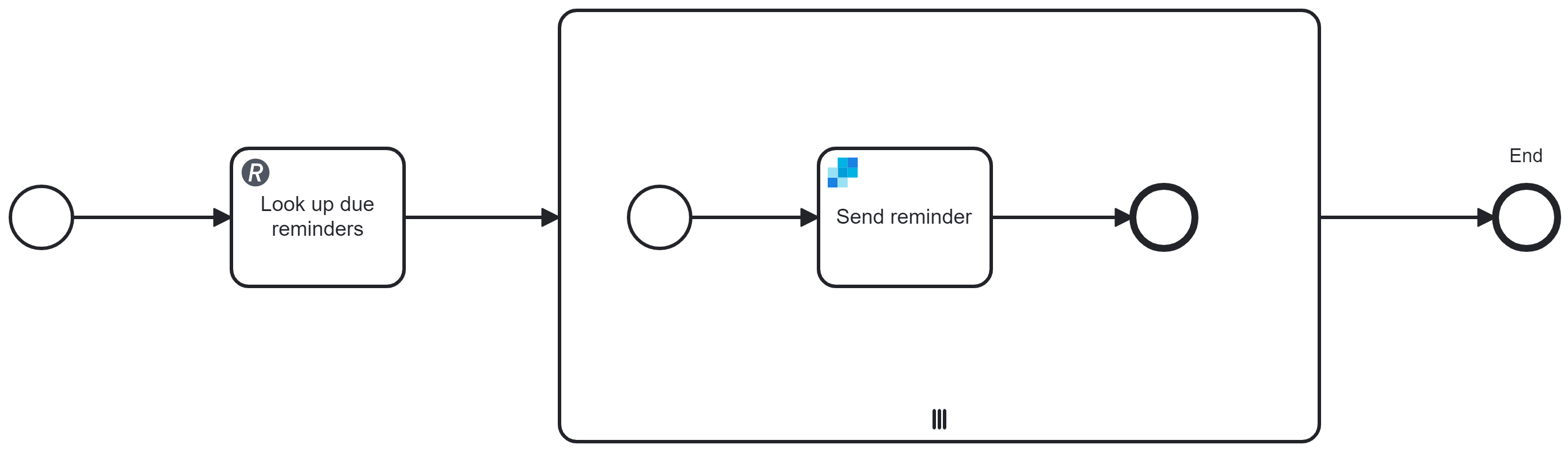
Your "Periodically → Look up due reminders → " is a good start, but you’ll want to switch to a Multi-Instance after that, since you want to send a reminder for each reminder that is due.

How do I setup the “Send Reminder” connector so that it can iterate the email value return from my REST API?

Data return from REST API:
{
“email”: [
j.jennefferj@gmail.com”,
“jenneffer@labuanfsa.gov.my”,
clairevalery92@gmail.com
]
}

What I already did:-

  1. I store the response from rest api into a variable =emailCollection
  2. On the multi instance activity, I assign Input collection = emailCollection
  3. On the multi instance body, in the Receiver, Email address = emailCollection.email

The multi-instance body did loop 3 times, but I can’t find the way to pass the value into Receiver > email address in Send Grid connector.

Here is the instance history when I run the process:-

I think I have a slightly different version of modeler than you do.
On my Multi-Instance Activity Properties panel, I have both Input Collection and Input Element

According to the docs, you need to set the input element too:
1 Like

Thanks @GotnOGuts. Its working now. I forgot to set the input element previously. :+1:

This topic was automatically closed 7 days after the last reply. New replies are no longer allowed.