How to Send Message From Custom Connector?

Hi,

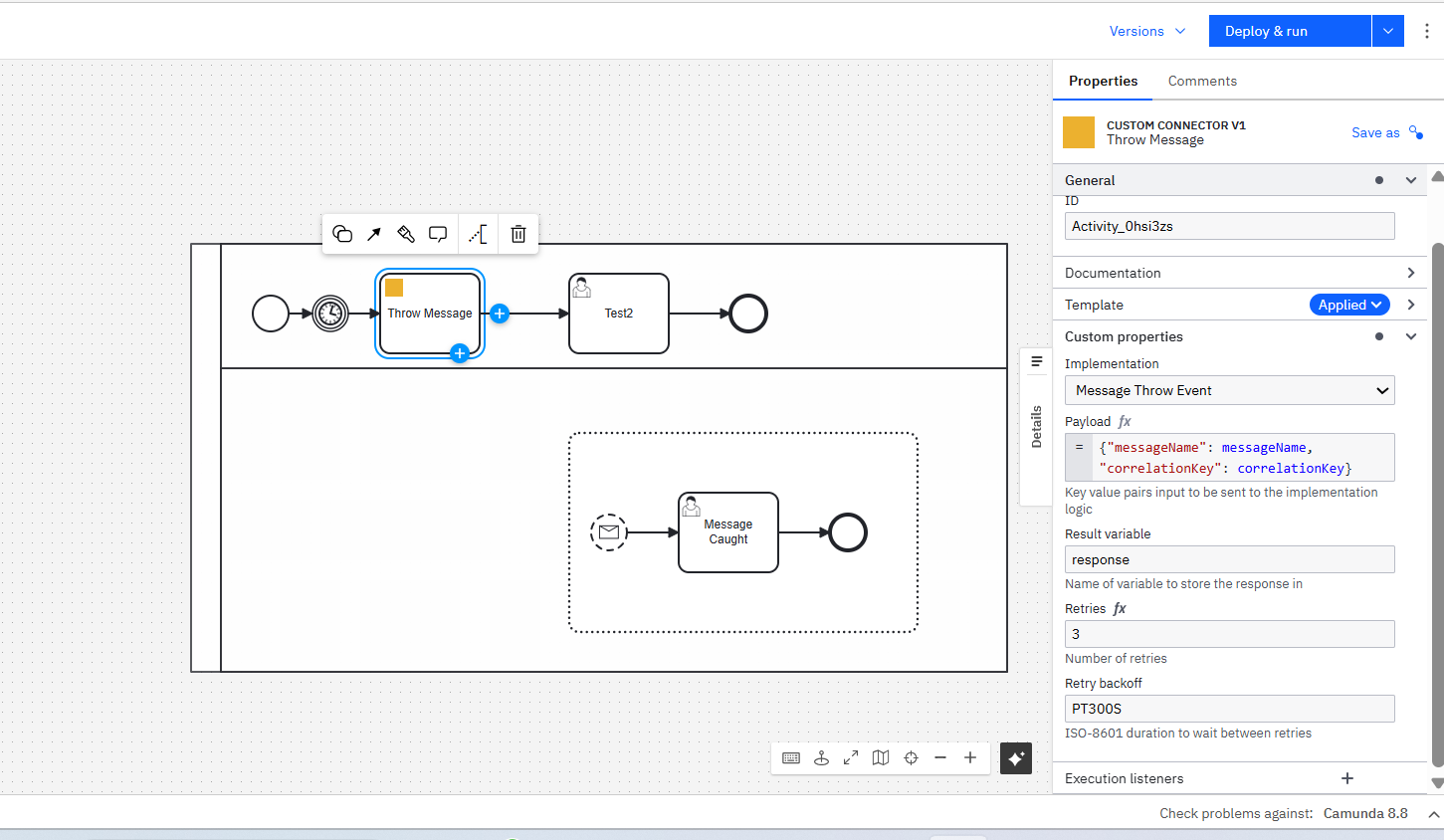
I have a custom connector which I use to send a message to my event sub process to start.

Here is the code that I have in my custom connector to throw the message.

		String msgName = inputPayload.get("messageName").textValue(); 
		String correlationKey = inputPayload.get("correlationKey").textValue();
		
		camundaClient.newPublishMessageCommand()
		.messageName(msgName)
		.correlationKey(correlationKey)
		.variables(inputPayload.toString())
		.timeToLive(Duration.ofMinutes(1))
		.send()
		.join();
		
		log.info("Message Sent... ");

I am sure that this piece of code is running but I do not see the execution going to the event sub process.

When I send the same message via a rest-api call, it works. Am I missing something here ?

The issue is likely related to how your custom connector is sending variables or handling correlation keys compared to the REST API call. I found the following relevant resources:

Does this help? If not, can anyone from the community jump in? :waving_hand:


:light_bulb: Hints: Use the Ask AI feature in Camunda’s documentation to chat with AI and get fast help. Report bugs and features in Camuda’s GitHub issue tracker. Trust the process. :robot:

The BPMN Spec requires that you cross process boundaries when throwing / receiving a message. As such, throwing from your main flow to your subprocess is not valid BPMN, which is likely why it’s not working (Camunda checks for this).
You can “cheat” by making your connector call the REST API (ie. appear to be outside your process), or by using one of the other Subprocess Start modes (condition is common)

It would be better to use a Conditional split ( < O > ) based on the diagram that you’ve shared - look at the results of your connector, and determine which branch(es) of the process should be started.