Operate variable search API returns Multiple values

Hi all,

I am using Camunda 8 self-managed with version 8.7.8
And I tried to use this API from the Operate Search variables for process instances | Camunda 8 Docs to search for variable using process instance key and the variable name and I was expecting it to return one result for the variable, but I found it return multiple results for the same variable in the response and the latest value exists at the end

So why multiple values are returned for the same variable
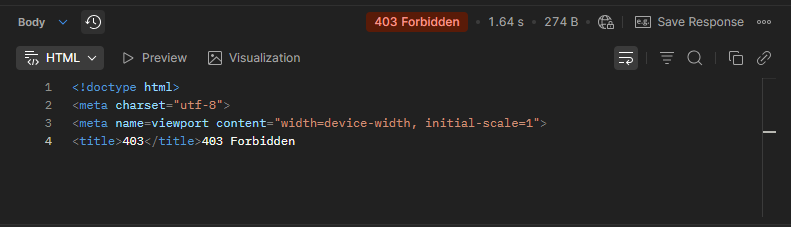
and when I tried to sort the list returned by key DESC I got this error 403 in postman

curl --location 'https://camunda-dev.ncnp.gov.sa/operate/v1/variables/search' \
--header 'Content-Type: application/json' \
--header 'Authorization: Bearer eyJhbGciOiJSUzI1NiIsInR5cCIgOiAiSldUIiwia2lkIiA6ICJTb1FXamRqcWIxck96c1dEbjN2ejh5OUFPT3lHOEQ2SnJiMzE5dkRXTjF3In0.eyJleHAiOjE3NTkzMjk2MzcsImlhdCI6MTc1OTMyNjAzNywianRpIjoidHJydGNjOjY5NjhmMzZiLTRlMzMtMWQ2Zi1mYWRmLTMzMjIwMDJmZDRhZiIsImlzcyI6Imh0dHBzOi8vY2FtdW5kYS1kZXYubmNucC5nb3Yuc2EvYXV0aC9yZWFsbXMvY2FtdW5kYS1wbGF0Zm9ybSIsImF1ZCI6WyJ0YXNrbGlzdCIsInRhc2tsaXN0LWFwaSIsIm9wZXJhdGUtYXBpIiwiYWNjb3VudCJdLCJzdWIiOiIwZTk0Y2VlZS03Yzg4LTQ4MzktYjA3OC05YzE4NjY0YzNkY2QiLCJ0eXAiOiJCZWFyZXIiLCJhenAiOiJ0YXNrbGlzdCIsImFjciI6IjEiLCJhbGxvd2VkLW9yaWdpbnMiOlsiaHR0cDovL2NhbXVuZGEtZGV2Lm5jbnAuZ292LnNhIl0sInJlYWxtX2FjY2VzcyI6eyJyb2xlcyI6WyJEZWZhdWx0IHVzZXIgcm9sZSJdfSwicmVzb3VyY2VfYWNjZXNzIjp7InRhc2tsaXN0LWFwaSI6eyJyb2xlcyI6WyJyZWFkOioiLCJ3cml0ZToqIl19LCJvcGVyYXRlLWFwaSI6eyJyb2xlcyI6WyJyZWFkOioiLCJ3cml0ZToqIl19LCJhY2NvdW50Ijp7InJvbGVzIjpbIm1hbmFnZS1hY2NvdW50IiwibWFuYWdlLWFjY291bnQtbGlua3MiLCJ2aWV3LXByb2ZpbGUiXX19LCJzY29wZSI6InByb2ZpbGUgZW1haWwiLCJjbGllbnRIb3N0IjoiMTI3LjAuMC42IiwiZW1haWxfdmVyaWZpZWQiOmZhbHNlLCJwZXJtaXNzaW9ucyI6eyJ0YXNrbGlzdC1hcGkiOlsicmVhZDoqIiwid3JpdGU6KiJdLCJvcGVyYXRlLWFwaSI6WyJyZWFkOioiLCJ3cml0ZToqIl0sImFjY291bnQiOlsibWFuYWdlLWFjY291bnQiLCJtYW5hZ2UtYWNjb3VudC1saW5rcyIsInZpZXctcHJvZmlsZSJdfSwicHJlZmVycmVkX3VzZXJuYW1lIjoic2VydmljZS1hY2NvdW50LXRhc2tsaXN0IiwiY2xpZW50QWRkcmVzcyI6IjEyNy4wLjAuNiIsImNsaWVudF9pZCI6InRhc2tsaXN0In0.Hc10kv1p3KN66akFEW82f3wks72OvCTau2TZhF_UaBgKcHMoFcx9RAd4VmwPDEld1ljftThPSaId9onMOlAokJIQs9kmuxYXQBzu5AzAliLTjwiGf0A9ux_M1ZK_KxqrhYUDwUMv6XT9RncWPgXxIFP_5Z5Xw6BRTTzj215x7TLN_7MfTt767jhXBazCh864r5pDlacjinO-hzceIkJZkNSwzUSB2mKQoVqAcQgGhjQVY47IiK4cTAG5vJiCDQe6pUk3_koQcH69cLD8atQLHA62BQZTJ_RTwfTM01G-xLq_m7jrtP0J9BAIGf4W0B_B8RYBed7m1dEd9U6WjMvVIg' \
--data '{
    "filter": {
        "processInstanceKey": 6755399491679620,
        "name": "requestId"
    },
    "sort": {
        "field": "key",
        "order": "asc"
    }
}'

and this is sample process

variableValue.bpmn (4.2 KB)

So how to sort the result and if there is a way to get only the latest variable value only ?

@Mohamed_Ahmed_Mohame - to answer the 403 error, I suspect it’s because the sort value should be an array of objects. Try this:

curl --location 'https://camunda-dev.ncnp.gov.sa/operate/v1/variables/search' \
--header 'Content-Type: application/json' \
--header 'Authorization: Bearer xxx' \
--data '{
    "filter": {
        "processInstanceKey": 6755399491679620,
        "name": "requestId"
    },
    "sort": [{
        "field": "key",
        "order": "asc"
    }]
}'

As for multiple values, I would need more information to answer. Can you share a response you are getting with multiple values, as well as what is being reported in Operate? Does Operate show the same data?

For the 403 error you are correct it’s solved when I used list in the sort object
and this is the curl that return multiple values

curl --location ‘http://localhost:8081/v1/variables/search’ –header ‘Content-Type: application/json’ –header ‘Authorization: Bearer token’ –data ‘{“filter”: {“processInstanceKey”: 2251799814391826,“name”: “statusCode”}}’

And this is the response

{
    "items": [
        {
            "key": 2251799814391829,
            "processInstanceKey": 2251799814391826,
            "scopeKey": 2251799814391826,
            "name": "statusCode",
            "value": "\"789\"",
            "truncated": false,
            "tenantId": "<default>"
        },
        {
            "key": 2251799814391839,
            "processInstanceKey": 2251799814391826,
            "scopeKey": 2251799814391837,
            "name": "statusCode",
            "value": "\"147\"",
            "truncated": false,
            "tenantId": "<default>"
        }
    ],
    "sortValues": [
        2251799814391839
    ],
    "total": 2
}

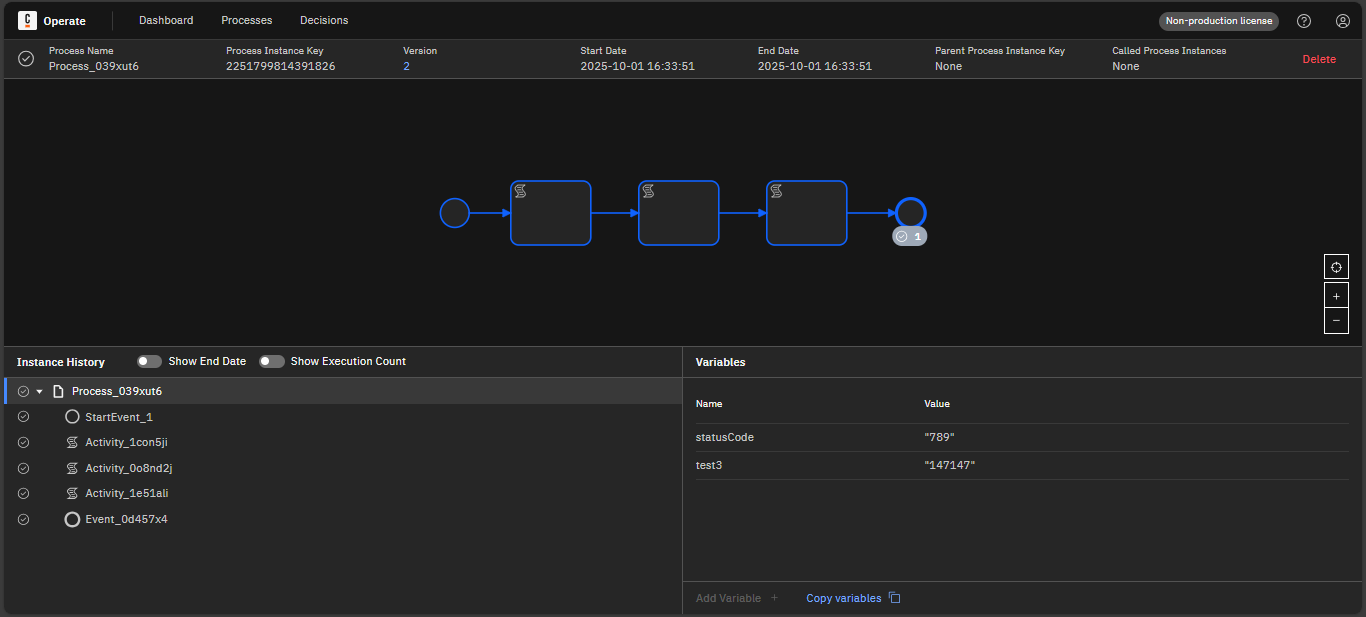
And this is the instance variables from Operate for the same shared workflow

In this workflow I just created variable statusCode with value 123 and I modified the value in the script task to 456 then to 789 then to 147 so I expected from the endpoint to give me the latest value only

@Mohamed_Ahmed_Mohame - this is expected. Camunda logs changes to every variable, which is critical for providing a meaningful and useful audit log and process history. When you have the top (global) history item selected in Operate, it is showing you the “current” or “final” state of the global variables in the process, but if you click on each activity it should show the changes to the value of statusCode over time. The API is searching for variables with the name “statusCode”, of which several values exist in the process data.

1 Like

The variable scope key is the element instance key if the element spawns a new variable scope (i.e. in case it can have input or output mappings). Otherwise, it is the flow scope key

In your case it should be the flow scope key as no new variable scopes were introduced
This topic was automatically closed 90 days after the last reply. New replies are no longer allowed.