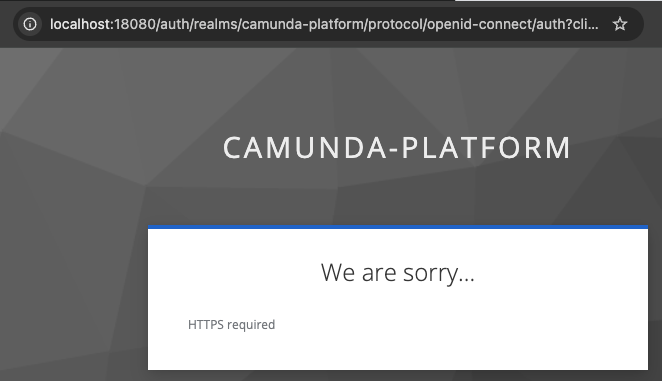
I have been able to run Camunda stack without problems for a while. Lately, though, I receive the message HTTPS required when I try to access a number of services (ie Keycloak).
For sanity check, I downloaded the docker-compose from the oficial documentation and followed the instructions, but I’m getting the same behaviour.
hey, @cpbpm, I just followed the instructions from official Camunda documentation (at Docker Compose | Camunda 8 Docs) and had this problem when accessing the web interface of these services. Today, I removed all docker images, redid all steps and it worked fine. Probably it was a transient problem or something on my machine. Thank you for your attention.
I talked too soon; last night my computer (Mac) restarted to some mandatory update and today the problem is back. Most likely, this is due to services Camunda itself depends on, still it’s quite frustrating the time I’ve already lost trying to fix this.
Yes, recent Keycloak versions enforce HTTPS by default for security. To bypass in local/dev setups, set KEYCLOAK_FRONTEND_URL and KEYCLOAK_ENABLE_HTTPS=false in your Docker config, or use a reverse proxy with TLS.
You are right, these are solutions, @thomas598batson, but there is some some edge condition when the containers lose these ENV variables and the solution of setting KEYCLOAK_ENABLE_HTTPS to false eventually does not work.
I’ve moved on to other subjects and I’m not being affected anymore, nor following this thread, but I suspect that this edge condition is related to when the Docker containers are restarted.