cpbpm
October 16, 2025, 9:53pm
1
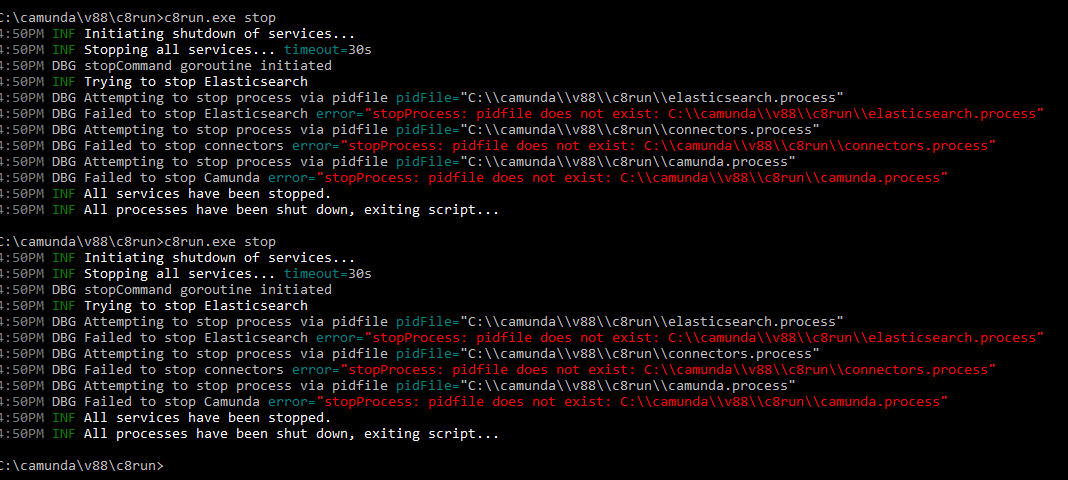
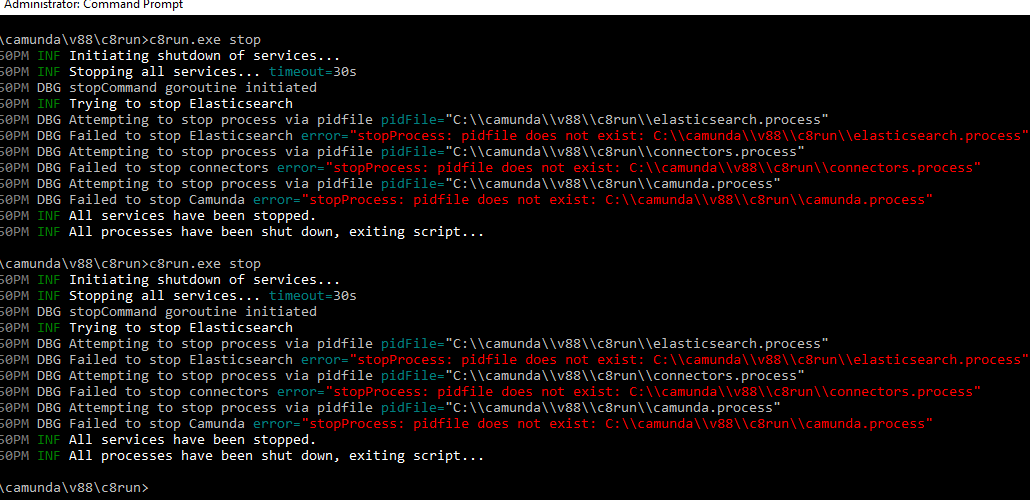
Trying to stop C8Run from windows after starting the C8Run server. The process is exiting quickly without stopping the instances, removing the process id, lock files.
What I noticed id that if I run cmd “As Administrator” the jvm instances are properly killed (although) I still see some error messages on the screen.
But if I run as a normal user, I see the same error messages you posted AND the jvm keeps running in the background.
cpbpm
October 16, 2025, 11:08pm
3
Running as Administrator or normal user, issue is same. Waited for 1 hr, still the process is not deleted.
Does the file actually exist?c:\\camunda\\v88\\c8run\\camunda.processc:\camunda\v88\c8run\camunda.process
cpbpm
October 17, 2025, 1:56am
5
These files exists, Sometimes even though services are stopped, lock files are not removed, we see the errors as mentioned in my earlier screenshots.
@cpbpm - I would recommend opening an issue in GitHub for this, include as many details as you can. When you file the bug report, be sure to select “C8 Run” as the component! (The preview of the link below is weird, but it’s a direct link to the “new bug report” page.)
cpbpm
October 17, 2025, 2:28pm
7
Sure @nathan.loding , Created the issue in Github:
opened 02:45PM - 17 Oct 25 UTC
Downloaded C8Run for the latest release V8.8. Found that many issues exists,
… OS Details: Windows 10 Pro 22H2
1. C8Run is started first time without any issues. Able to access the application.
2. Not able to stop the C8Run, "c8run.exe stop" runs very quickly, but the actual processes are not stopped. Process locks are not removed.
3. Next start the C8Run using the command, Unable to launch the Camunda.
<img width="1920" height="1040" alt="Image" src="https://github.com/user-attachments/assets/4a1adcb2-1f57-4485-9b88-58a237bbab5f" />
[elasticsearch.log](https://github.com/user-attachments/files/22973482/elasticsearch.log)
ElasticSearch: number of replicas set to 1 as of now, C8runs on single node, settings the replicas to 0 to avoid the elasticsearch shard status from RED TO YELLOW"
If we have more than one node, this replica value 1 is valid, it takes some time to synchronize the data, Please take a look at on Elasticsearch settings.
I can more provide more logs if needed. Many of them are facing this issue on C8Run V8.8 release.