Below variable using dmn/literal combination to validate multiple rules, however one of variable ‘time_ok’ which is output of literal is returning as a null.
Note- during debut, it found that literal ‘EvaluateTimeLimit’ which creating this variable has correct value populated but when it passes to ‘EvaluateAllRules’ it gives ‘time_ok’ as null.
bvr.dmn (60.9 KB)
This looks like a common DMN variable naming issue where the ‘time_ok’ variable becomes null when passed between decisions. I found the following relevant resources:
- DMN Decision Literal Expression Variable Naming
- FEEL Error Handling and Null Values
- DMN Decision Table Output Naming
- FEEL Variable Naming Rules
Does this help? If not, can anyone from the community jump in? 
 Hints: Use the Ask AI feature in Camunda’s documentation to chat with AI and get fast help. Report bugs and features in Camuda’s GitHub issue tracker. Trust the process.
It did not solve the problem.
A few things to look at:
- I don’t think you can assign a list as the output of a decision.
- Since time_limit_result is a singular value, it can’t be accessed as an array time_limit_result[r] ← This should always return null
The SelectApplicableRules.dmn produces bvr_id as list of string, using which the for loop in EvaluateAllRules runs for every string value. This works perfectly.
Further EvaluateTimeLimitRules produces time_limit_pass(boolean) which passes input to EvaluateTimeLimit produces ‘time_limit_result(booean)’ , so far everything works as expected.
But when it comes to pass ‘time_limit_result(booean)’ to EvaluateAllRules as a time_ok : time_limit_result[r] this time it sets as null.
I tried with time_ok : time_limit_result also, but this also comes as a null.
I expect that this is a result of passing only one value in, rather than a list.
@pramod_Rajane Please share an example input set and the expected outputs.
It seems that the DMN doesn’t follow the recommendations for the output name in the documentation. You need to access the result of a required decision by the decision ID, not by the output name.
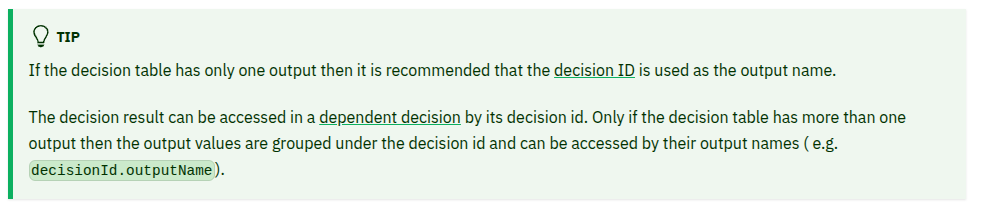
Thanks @Philipp_Ossler Let me check as per ‘TIP’. will get back on it.